
Creating ec2 instances in App and web subnets
- Architecture:
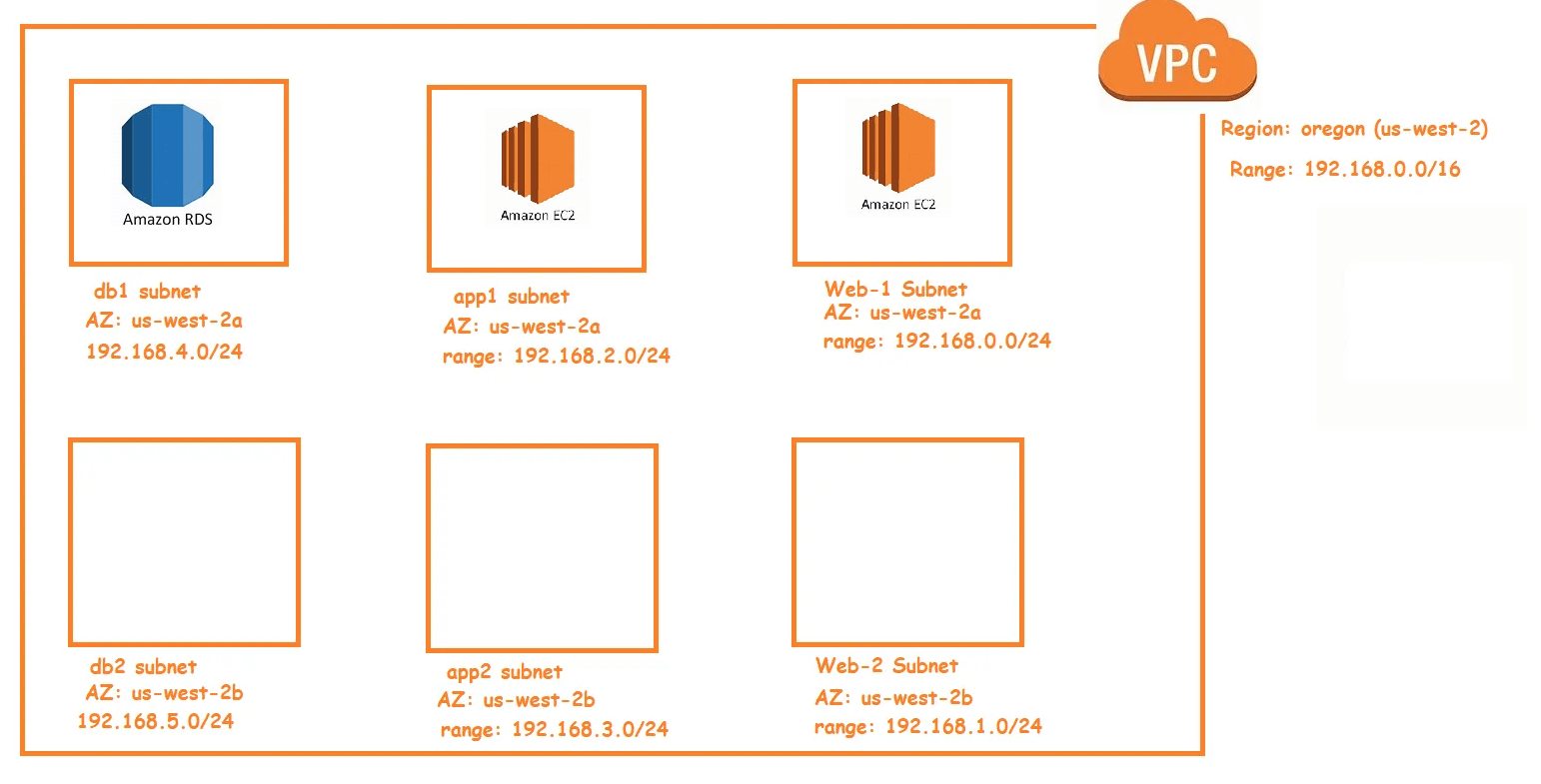
- Lets find the ec2 resource Refer Here for the aws_instance

- Manual Steps:
- choose an ami. Every ami has an id and this ami id for image changes from region to region. So we need to find an approach to make an ami id work for any region

- choose an instance type

- Select the vpc and subnet id

- add storage

- Add tags

- Select security group

- Select a key pair

- choose an ami. Every ami has an id and this ami id for image changes from region to region. So we need to find an approach to make an ami id work for any region
- To create ec2 instance initially, lets hardcode the details, then we will add the dynamic nature to the template
- Refer Here for the changes done.
- Apply the template and verify the web server created


- Lets try to correct the ami id and make it dynamic. So we need to fetch the information from aws, so we need a datasource. Refer Here for the documentation

- Now lets mark aws ec2 instance to be deleted and recreated, This is referred as taint. Refer Here

- Lets also create a variable for instance type Refer Here for the change set
- Apply the template and verify the ec2 instance details

- Now lets try to create an appserver instance Refer Here for the changeset
- Now apply the template

- the security group issue found in the class is fixed Refer Here for the changeset
- Taint a resource will cause the resource to be recreated during next apply. once the resource is succesfully recreated then terraform marks the resource as untainted

- If you accidentally tainted resource, you can untaint
terraform untaint <resource>
terraform apply
# resource will not be recreated.
- Next Steps:
- We need to login into ec2 instances and deploy application.
- We will learn about reusability in terraform
- We will learn about multi user scenarios


