
Problem
- Try to create a private network for below scenario
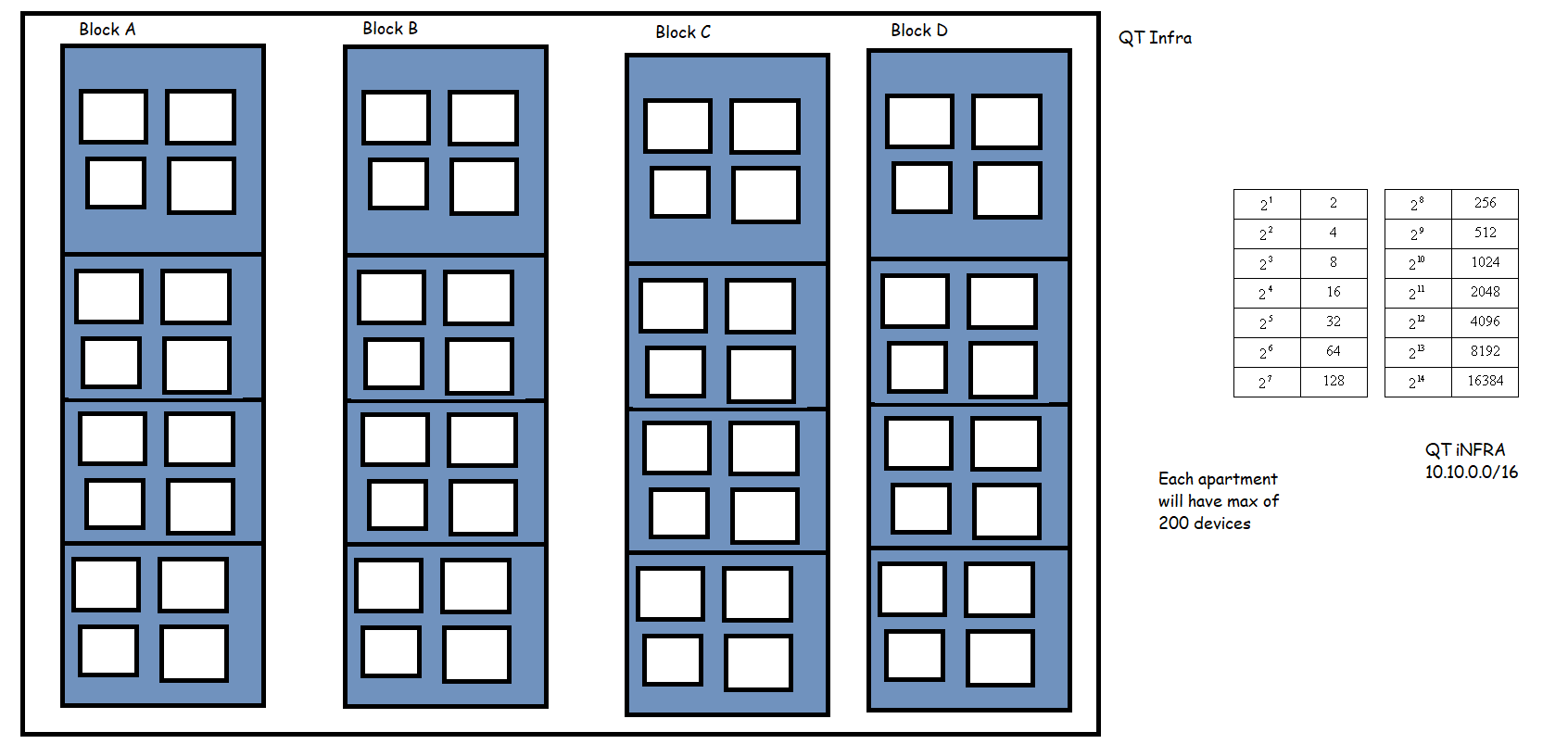
- We have 16 flats for each block. Each flat needs to connect to 250 devices. Each block will need 8 bits for host id. so subnet mask will be 255.255.255.0
- QT Network: 10.10.0.0/16
- Block A:
- Ground Floor (Every floor will be a subnet with each network in it as subnet)
- Flat AG1:
- ip range: 10.10.0.0/24
- sm: 255.255.255.0
- Flat AG2:
- ip: 10.10.1.0/24
- Flat AG3:
- ip: 10.10.2.0/24
- Flat AG1:
- Flat AG4:
- ip: 10.10.3.0/24
- Ground floor subnet : 10.10.0.0/22 = Ground floor
- First Floor:
- AF1: ip 10.10.4.0/24 => 255.255.255.0
- AF2: ip 10.10.5.0/24
- AF3: ip 10.10.6.0/24
- AF2: ip 10.10.7.0/24
- First floor subnet: 10.10.4.0/22
- Second Floor:
- AS1: ip 10.10.8.0/24
- AS2: ip 10.10.9.0/24
- AS3: ip 10.10.10.0/24
- AS4: ip 10.10.11.0/24
- SecondFloor: 10.10.8.0/22 => 11111111.11111111.11111100.00000000 => 255.255.252.0
- Third floor: 10.10.12.0/22
- Fourth Floor: 10.10.16.0/22
- Ground Floor (Every floor will be a subnet with each network in it as subnet)
Number of Devices that can be connected to a network
- My cidr range: 192.168.0.0/24 => 2 ^ (32-24) – 2 => 2^8 -2 => 254
- all zeros => Network id
- all ones => broadcast id
- CIDR range: 192.168.0.0/22 => 2 ^ (32-22) -2 => 2^10 -2 => 1024-2 => 1022
- General formula => (2^n)-2 where n is bits in host id
Next Steps
- Create our first private network on AWS and we will understand AWS Networking Terminologies.


