
Current State of LT-HRMS
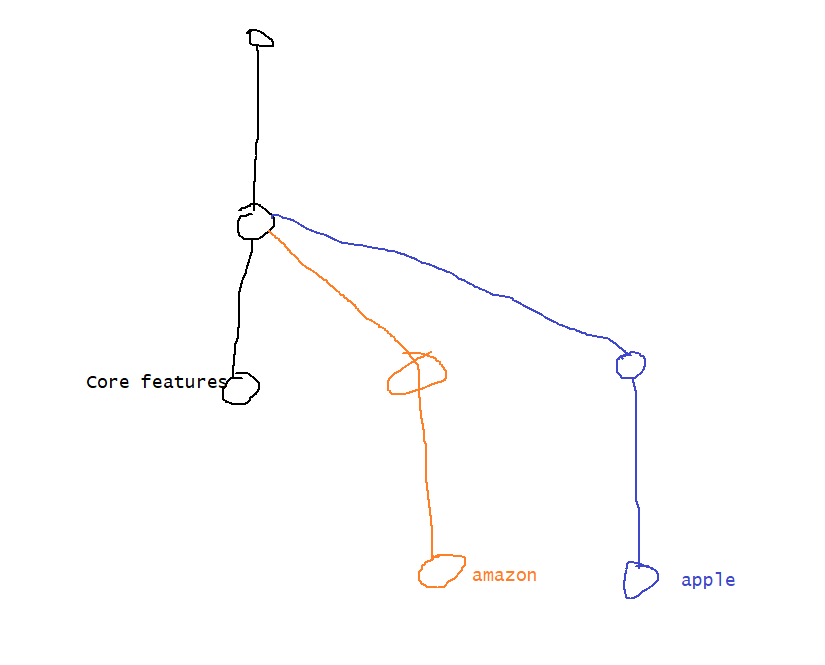
- Look at the image below
- Undoing Changes: Lets assume you are working on apple branch
- From working tree (modified)
git checkout -- <file> 2. From working (Removing un tracked files)
git clean -fd <path of dirctory>- From staging area to working tree
git reset <path> 4. How can i change the commit message of the latest commit because i need to add info about feature 2


- Lets suppose we have following features to be done
- core:
- feature 3: support oauth
- feature 4: support tab resolutions
- feature 5: Create an mobile variant
- feature 10: Support federated logins
- apple:
- feature 6: support single sign on with apple servers
- feature 7: support ipad resolutions
- amazon:
- feature 8: support single sing on with amazon servers
- feature 9: host this on aws.
- core:
- Lets visualize the dependency b/w features

- Core team has started working on feature 5
- Finishing feature 5 will have a graph as shown below

- Now this change has to be present in apple and amazon branches
- Approach 1: Merge the changes from core branch to apple branch & core branch to amazon branch (git merge)
- Screenshots:


- Do the same for amazon branch
- Screenshots:
- Approach 2: Only take the feature 2 commit and add it to apple branch and amazon branch (Cherry-pick)
- Screenshots:


- Screenshots:
- Approach 3: This approach is rebasing the changes


- All the examples till now were straight forward without any errors.
- Lets create a branch core and from core create apple and amazon.
- Now lets add remote this repository using github (A remote repo which allows multiple users to work)
- Default branches name was master and the remote repositories name is origin


- From now on Screenshots with powershell simulate user2 and with gitbash simulate user 1

- Fourth area of git
- Remote

- One git repository can have multiple remote repositories
- Remote
- Multi user scenarios

- When we clone repositories, read only remote branches are created. The names are
remotes/<remote-repo>/<branch-name>

- The local branch will be linked to the remote branch with the same name. This concept is called as tracking. To set tracking we use other terminology called as upstream branch
master will be linked to remotes/origin/master
-
If you checkout to already existing branches on remote then local branch will be created automatically
-
Let user1 make the change in the core branch. Refer Here

-
Now user2 wants latest changes from remote repository

-
So we need to pull the changes.

-
Lets simulate user1 and user2 working parallel.
- Both users have done the change

- User1 has pushed the changes to the remote repository

- User 2 now wants to push the changes and he gets the error, first get the latest changes and then push. Merge conflicts might arise fix them.


- If you dont want an extra commit for resolving merge conflicts use
git pull --rebase # fix merge conflicts git add . git rebase --continue - Both users have done the change
Git Reset
- Git Reset has 3 flavors
- git reset –soft: This is exercise google and find out.
- git reset –mixed: Will ensure the Staging Area is matching the head, so it reverses the changes from staging area
- git reset –hard: Will make the changes in the working tree, staging area and takes back to head position asked
- In git HEAD~n represent number of commits HEAD has to move back words
Next Topics
- Git Tags
- Git Stash
- Git Squash
- How to edit the historical commits in git
- Building/Packaging the code.
- GitHub: Pull Request


