
Unit Testing in python
- Python standard library has a unittest module
- unittest module reference
- Most of the python projects use pytest for unit testing which is an external package
Pytest Setup
- Create a new folder
- Create a virtualenviroment in it
- activate virtual environment
- install pytest
pip install pytest - now create requirements.txt
pip freeze > requirements.txt -
Refer Here for the sample code written
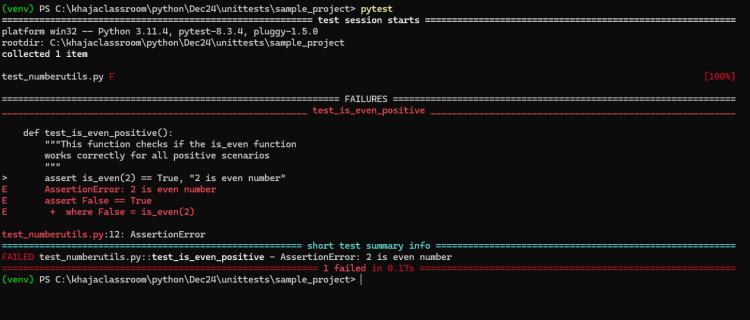
- Pytest Articles
Pytest-coverage
- pytest along with code coverage gives the better results
Using pytest-cov is an effective way to measure code coverage in your Python projects while running tests with pytest. This plugin integrates seamlessly with pytest and provides detailed reports on which parts of your code are covered by tests.
Getting Started with pytest-cov
Installation
To use pytest-cov, you first need to install it. You can do this using pip:
pip install pytest-cov
Basic Usage
Once installed, you can run your tests with coverage reporting by using the following command:
pytest --cov=<your_package> <tests>
- Replace
<your_package>with the name of the package or module you want to check. - Replace
<tests>with the path to your test files or directories.
For example:
pytest --cov=myproject tests/
This command will execute the tests in the tests directory and generate a coverage report for the myproject package.
Generating Coverage Reports
Terminal Output
By default, running the above command will print a summary of the coverage results in the terminal, showing how many statements were executed and how many were missed.
HTML Report
To generate a more detailed HTML report, you can use:
pytest --cov=<your_package> --cov-report=html:<output_directory>
For example:
pytest --cov=myproject --cov-report=html:coverage_report
This command creates an HTML report in the coverage_report directory. You can open the index.html file in a web browser to view detailed coverage results.
XML Report
If you need an XML report (useful for CI/CD pipelines), you can run:
pytest --cov=<your_package> --cov-report=xml:coverage.xml
Combining Reports
You can combine multiple report types in a single command. For example, to generate both terminal output and an HTML report, use:
pytest --cov=myproject --cov-report=html:coverage_report --cov-report=term
This will display coverage results in the terminal while also generating an HTML report.
Conclusion
Using pytest-cov allows developers to easily track code coverage while running tests, helping identify untested parts of the codebase. With options for generating various types of reports (terminal, HTML, XML), it provides flexibility to suit different needs in development and CI environments.
Citations:
[1] https://www.youtube.com/watch?v=6toeRpugWjI
[2] https://www.lambdatest.com/blog/pytest-code-coverage-report/
[3] https://readthedocs.org/projects/pytest-cov/downloads/pdf/latest/
[4] https://pypi.org/project/pytest-cov/
[5] https://www.browserstack.com/guide/generate-pytest-code-coverage-report
[6] https://stackoverflow.com/questions/66280468/how-can-i-use-pytest-cov-to-both-generate-a-coverage-report-and-also-print-to-te
Ideal folder structure and configuration for pytest
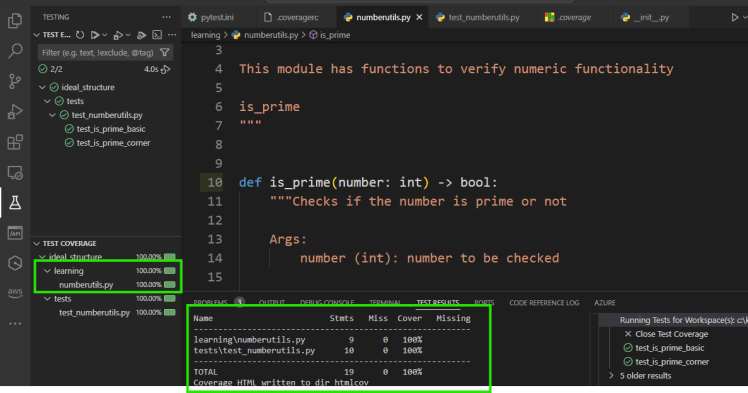
- Refer Here for sample project, unittests, code coverage configured
- Even in vscode
Python Type hints
- Refer Here for article
- Refer Here for official docs
Lets build an CLI application for investment calculations
- Refer Here for first version of code
- Exercise:
- Add unit tests
- Add rd (recurring deposits) to cli


