
Setting up kubernetes cluster the hard way
- Refer Here for the actual steps
-
Points to note:
- This will not be the way followed to setup k8s cluster in enterprises
- This exercise enhances our understanding of internals of k8s
- Deviation Points:
- The above link to install k8s is done on gcp (google cloud), We would not follow the gcp steps, but rather consider the installation of multiple linux instances
-
We would work on single master node and 2 worker nodes

-
Steps:
- Official one: Refer Here
- Create 3 ubuntu linux vms with all internal communication on

- Create a key pair and ensure you have pem file with you

- Now lets install client tools on master node
- Cfssl and cfssljson Refer Here
- Create a script for cfssl and cfssljson Refer Here
“`bash - Provisioning CA and Generating TLS certificates Refer Here
- CA Certificate Authority Refer Here

- Client and Server certificates Refer Here

- Kubelet client certificates Refer Here
- Generate worker node certificates
“`
instance='ip-172-31-61-66.us-west-2.compute.internal'
cat > ${instance}-csr.json <<EOF
{
"CN": "system:node:${instance}",
"key": {
"algo": "rsa",
"size": 2048
},
"names": [
{
"C": "US",
"L": "Portland",
"O": "system:nodes",
"OU": "Kubernetes The Hard Way",
"ST": "Oregon"
}
]
}
EOF</li>
</ul>
EXTERNAL_IP='35.84.134.188'
INTERNAL_IP='172.31.61.66'
cfssl gencert \
-ca=ca.pem \
-ca-key=ca-key.pem \
-config=ca-config.json \
-hostname=${instance},${EXTERNAL_IP},${INTERNAL_IP} \
-profile=kubernetes \
${instance}-csr.json | cfssljson -bare ${instance}
<code>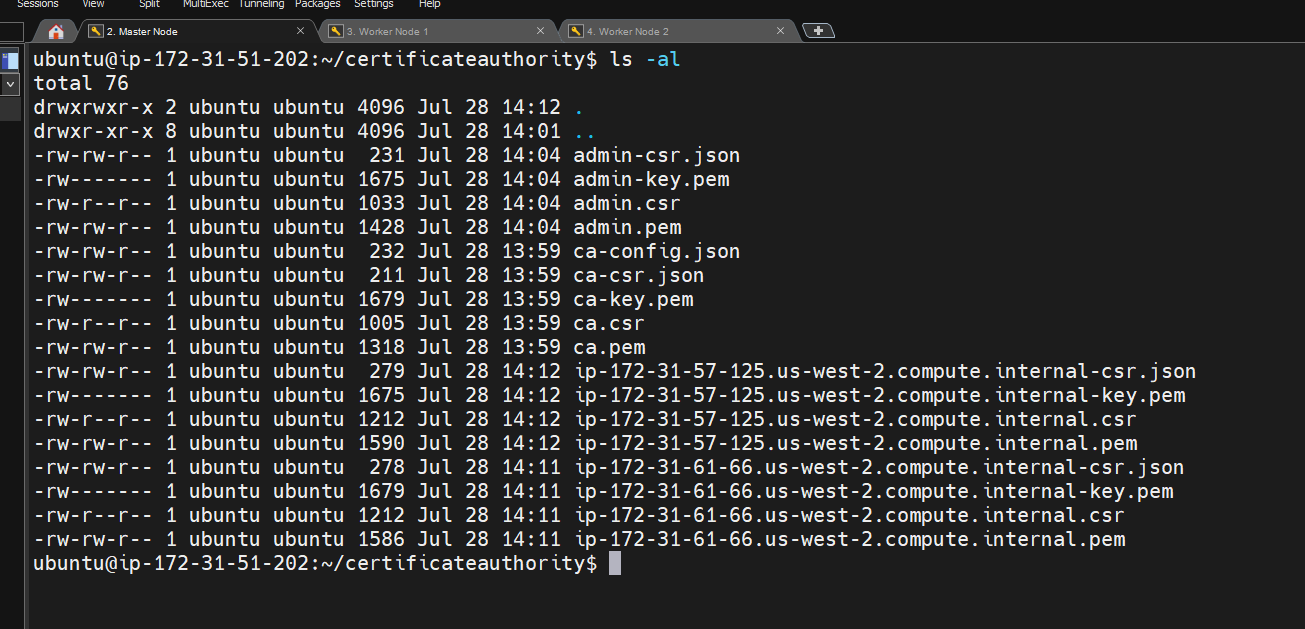
* [Refer Here](https://github.com/kelseyhightower/kubernetes-the-hard-way/blob/master/docs/04-certificate-authority.md#the-controller-manager-client-certificate) for controller manager certificate
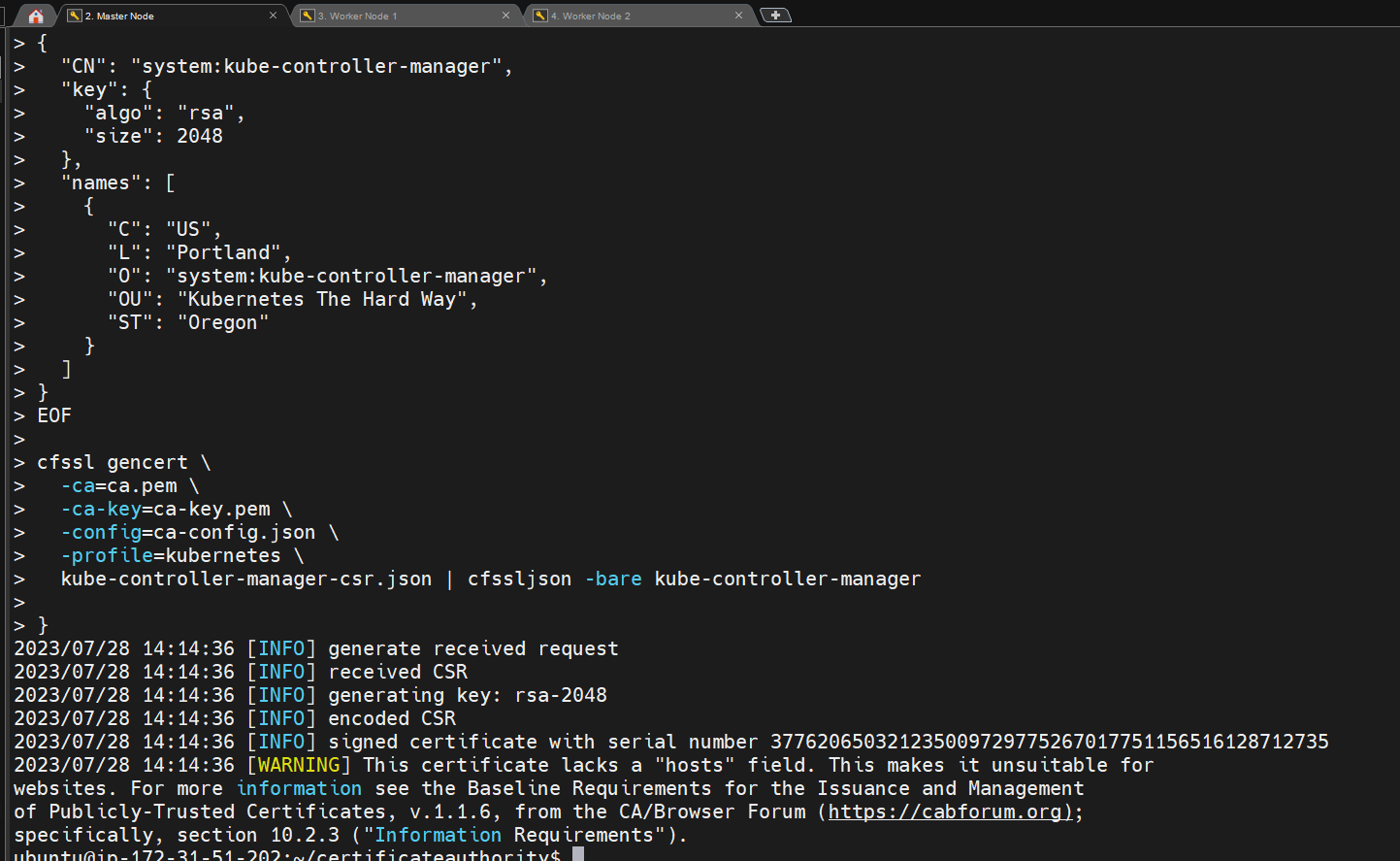
* [Refer Here](https://github.com/kelseyhightower/kubernetes-the-hard-way/blob/master/docs/04-certificate-authority.md#the-kube-proxy-client-certificate) for kube proxy certificate
* [Refer Here](https://github.com/kelseyhightower/kubernetes-the-hard-way/blob/master/docs/04-certificate-authority.md#the-scheduler-client-certificate) for scheduler certificate
* [Refer Here](https://github.com/kelseyhightower/kubernetes-the-hard-way/blob/master/docs/04-certificate-authority.md#the-kubernetes-api-server-certificate) for api server certificate</code>
{
<pre><code>KUBERNETES_PUBLIC_ADDRESS=172.31.51.202KUBERNETES_HOSTNAMES=kubernetes,kubernetes.default,kubernetes.default.svc,kubernetes.default.svc.cluster,kubernetes.svc.cluster.local
cat > kubernetes-csr.json <<EOF
{
"CN": "kubernetes",
"key": {
"algo": "rsa",
"size": 2048
},
"names": [
{
"C": "US",
"L": "Portland",
"O": "Kubernetes",
"OU": "Kubernetes The Hard Way",
"ST": "Oregon"
}
]
}
EOFcfssl gencert \
-ca=ca.pem \
-ca-key=ca-key.pem \
-config=ca-config.json \
-hostname=10.32.0.1,10.240.0.10,10.240.0.11,10.240.0.12,${KUBERNETES_PUBLIC_ADDRESS},127.0.0.1,${KUBERNETES_HOSTNAMES} \
-profile=kubernetes \
kubernetes-csr.json | cfssljson -bare kubernetes}
</code></pre>
“`
* Refer Here for service account
* We will start our next steps from here Refer Here
</ul>
<h1>!/bin/bash</h1>
VERSION=$(curl –silent "https://api.github.com/repos/cloudflare/cfssl/releases/latest" | grep '"tag_name"' | sed -E 's/.<em>"([^"]+)".</em>/\1/')
VNUMBER=${VERSION#"v"}
wget https://github.com/cloudflare/cfssl/releases/download/${VERSION}/cfssl_${VNUMBER}<em>linux_amd64 -O cfssl
chmod +x cfssl
sudo mv cfssl /usr/local/bin
wget https://github.com/cloudflare/cfssl/releases/download/${VERSION}/cfssljson</em>${VNUMBER}_linux_amd64 -O cfssljson
chmod +x cfssljson
sudo mv cfssljson /usr/local/bin
cfssljson -version
<code>* Install kubectl</code>
wget https://storage.googleapis.com/kubernetes-release/release/v1.21.0/bin/linux/amd64/kubectl
chmod +x kubectl
sudo mv kubectl /usr/local/bin/
kubectl –help
“`
* lets recheck the linux machines with compute resources Refer Here



