
Git Contd
- Different States a file can be and actions that transition between them

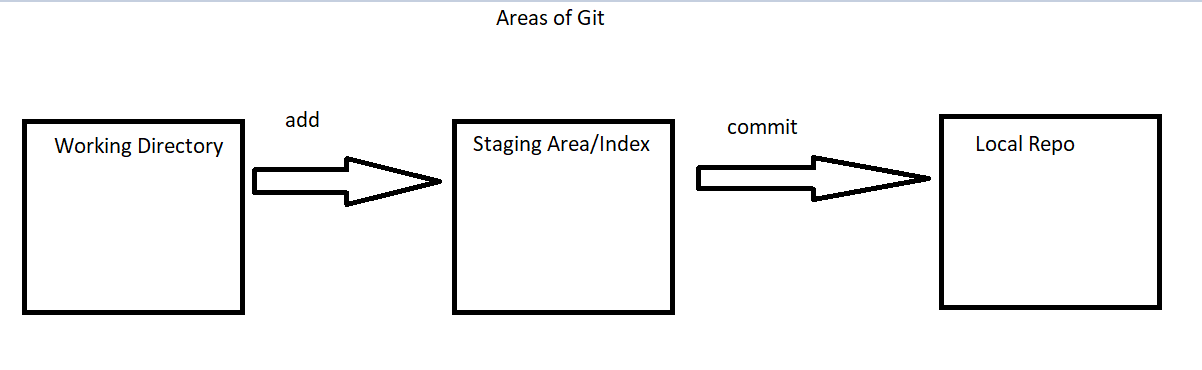
- Areas of git w.r.t local repository
- Current Status:

- Add all the changes into staging area
git add --help
Refer Here - Add only modified files to the staging area


- Adding files with some pattern


- Other example


Moving changes from Staged Area back to working tree
- Add the changes to the staging area

- Now remove one file from staging area (unstage)

- To move the file from modified state in working tree to unmodified

- To move the changes from staging area to unmodified state

- Git reset is the old command and to move the changes from staging area to working tree the following was the approach


- Untracked files add to the staging area

- Moving them back to working tree

- To remove the untracked files from worktree we have
git clean

- If you have directories as part of your untracked files

- Overview of moving changes

Exercises
- We have executed
git reset --hard, try to findout whatgit reset --softdoes? - Findout what
git revertdoes ? - Findout what
git rmdoes ?


