
Docker Image Layers and Containers
- When we pull the docker image we see some strange id’s
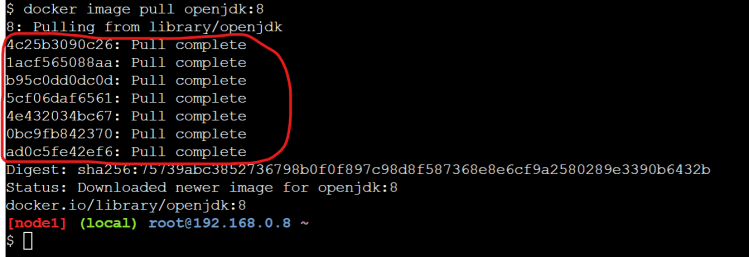
- Now execute the command
docker image inspect <image-name>
docker image inspect openjdk:8
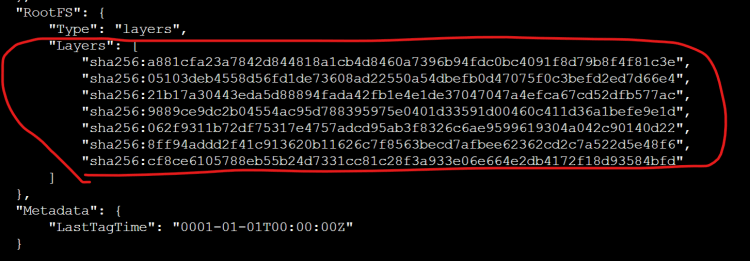
- Docker image is collection of image layers.
- Now lets try to build our own image with openjdk:8 as base image
FROM openjdk:8
ADD https://referenceapplicationskhaja.s3.us-west-2.amazonaws.com/spring-petclinic-2.4.2.jar /spring-petclinic.jar
- Now lets build the docker image with name
exp:1.0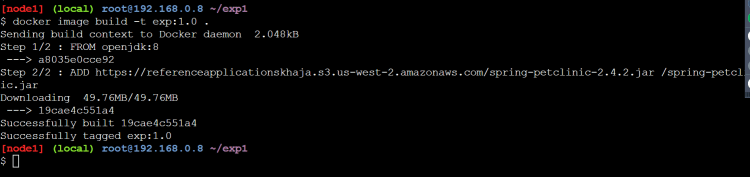
- Now lets inspect exp:1.0
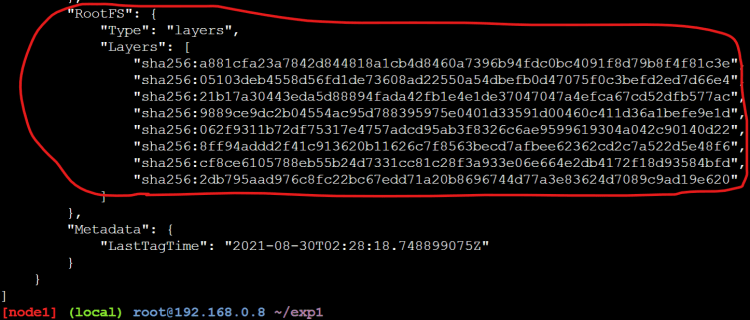
- Now lets compare layers of openjkd and exp:1.0
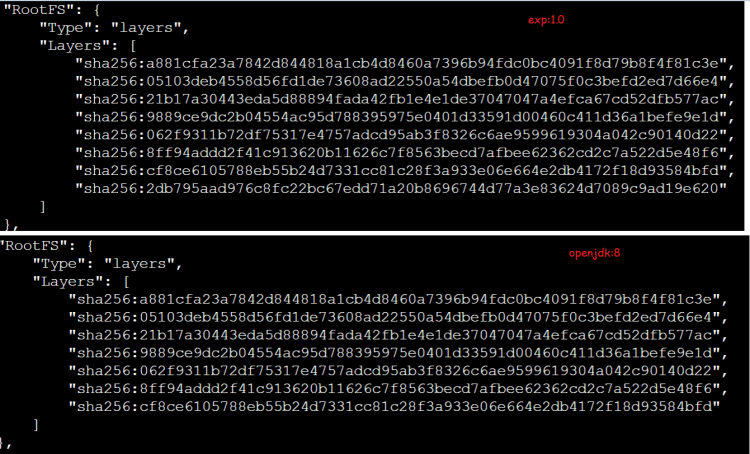
- Image layers are reused across docker images.
- Any instruction in Dockerfile, that adds/changes existing content will lead to a new layer creation i.e. EVERY ADD/RUN/COPY instruction will create one extra layer (in most of the cases)
- Each layer consists of the changes which are done and Now Docker will mount all of the image layers as one/more mounts to the container
- Docker layers are mounted on top of each other and a writable layer is created with the help of Storage Drivers
- Refer Here for the article on layers and storage driver
- Docker has a concept of docker volumes where we can preserve the data that has been created/modified by container.


