
Chef Node Setup and bootstrapping
-
We have configured the chef workstation and we have create account in manage.chef.io which is a hosted chef server
-
Now we need to create an node.
-
Note:
- Creating a VM in Azure Refer Here
- Create a VM in AWS Refer Here
-
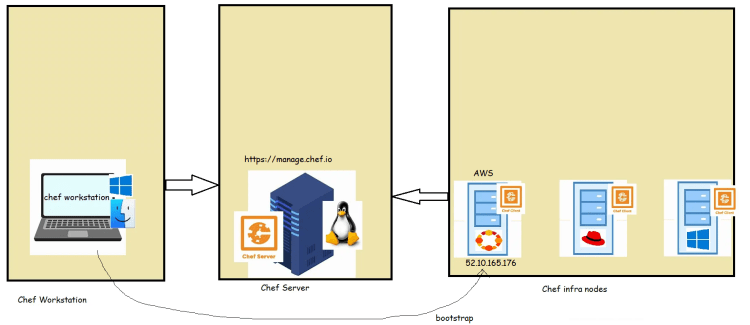
Lab setup for the node-1
- Create a ubuntu 20 Linux VM (EC2 instance) in AWS and then we will try to boot strap
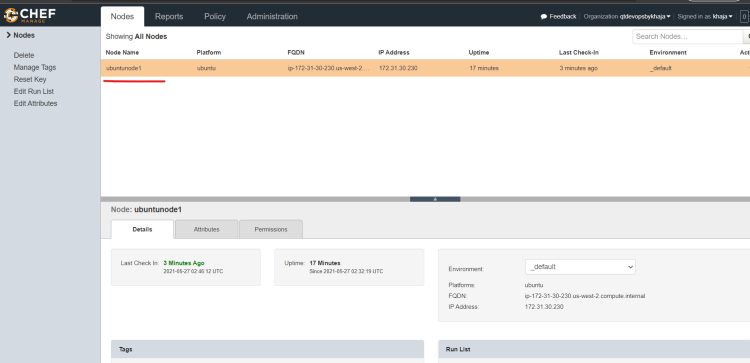
- Now we will try to bootstrap the VM Created in AWS using Chef Workstation
- To do the bootstrap, we need
- IP address of node
- Username and password/key file
- User needs to have sudo permissions because chef client has to be installed.
- Steps:
- Ensure you have SSH connection from workstation => Node
- Workstation needs to provide some info about chef server to the node so the bootstrap should be executed from chef-repo
- Build a bootstrap command using knife Refer Here
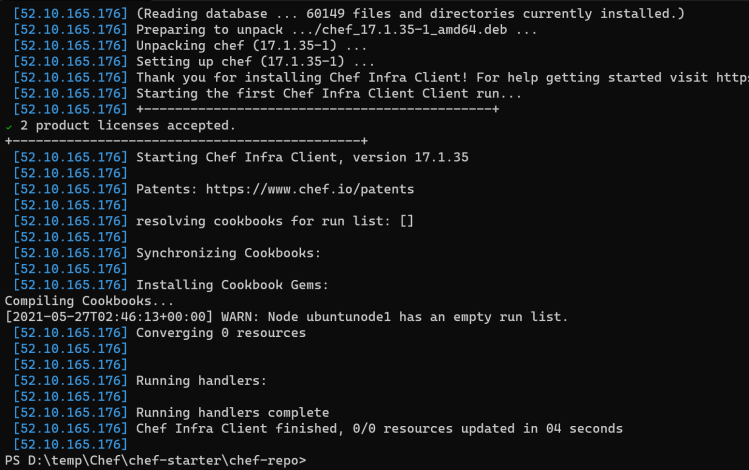
knife bootstrap 52.10.165.176 --connection-user ubuntu --ssh-identity-file cheflearning.pem --sudo --node-name 'ubuntunode1'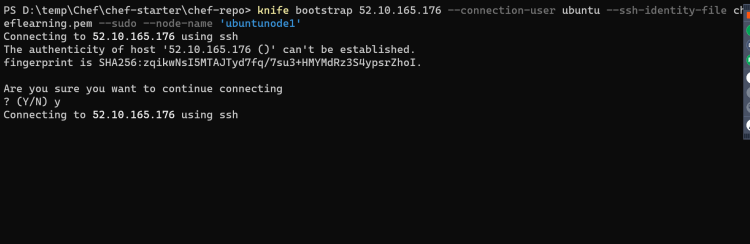

-
Lab setup for the node-2:
- Create a ubuntu 20 Linux VM in Azure and then lets try to bootstrap
- Building a bootstrap command
knife bootstrap <public ip> --connection-user 'qtdevops' --connection-password '<your ip>' --sudo --node-name 'ubuntunode2'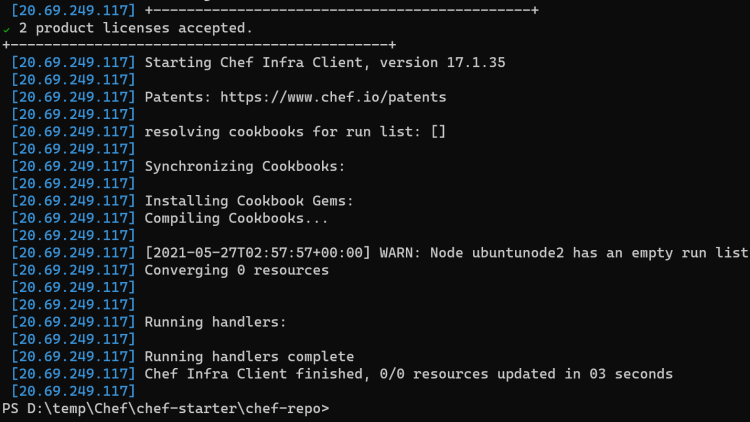
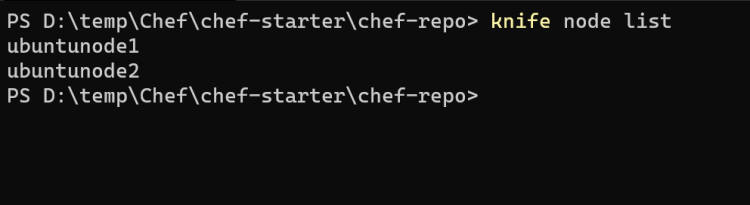
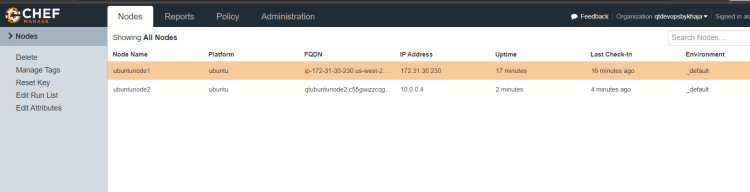
-
Exercise:
- Bootstrap an ubuntu node to the hosted chef server.
- Bootstrap a RedHat node to the hosted chef server.
- Create a ubuntu VM and then try to install apache server and tomcat server
Next Steps
- Creating a Cookbook
- Writing simple recipes in the cookbook
- Using resources in recipes


