
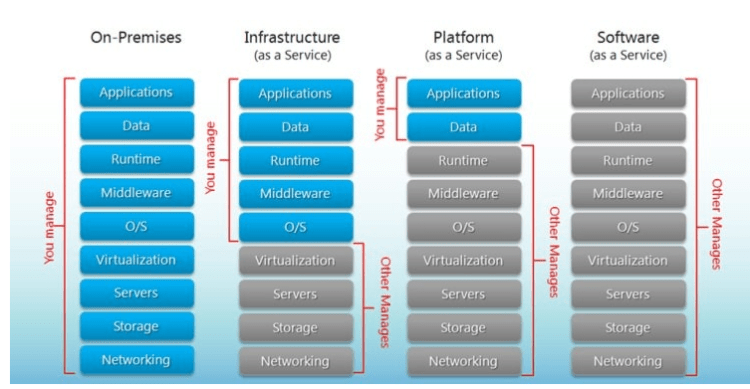
IAAS vs PAAS vs SAAS
Offering of SQL Database from Azure
- IAAS: Using Azure VMs and building SQL on them
- Scenarios that would fit building SQL on Azure VMs:
- Migrating existing apps to Azure with minimal changes
- Having a full access into Azure SQL Environment
- Building hybrid cloud applications
- Scenarios that would fit building SQL on Azure VMs:
- PAAS: Azure SQL Database (SQL Server as a Service)
- Scenarios that would fit Azure SQL Database:
- Cloud applications that needs to be developed quickly
- Building a highly available & auto-upgradabale database that is recoverable in the case of disasters
- Database with less management need for its OS and configuration
- Scenarios that would fit Azure SQL Database:
Advantages of Azure SQL Database
- Scalability
- Online scaling: No downtime is needed to scale your database size
- Built-in intelligence: This helps in reducing costs and increasing performance
- Automatic Backups
- Point-in-time restores
- Failover groups
- Active geo-replicate.
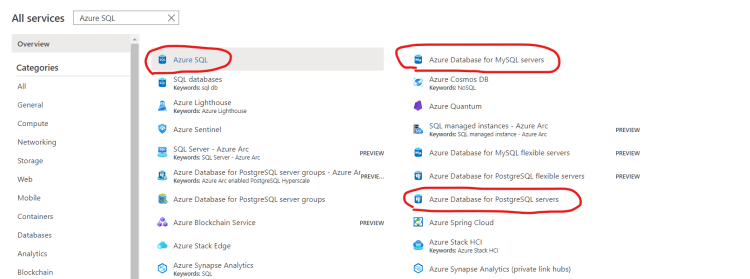
What Database Engines are natively covered under PAAS model
- Microsoft SQL Server => Azure SQL Database
- Postgres => Azure SQL for Postgres
- mySQL => Azure SQL For mySQL
How about other Databases
- You can search them in Azure Marketplace and create vm’s with that
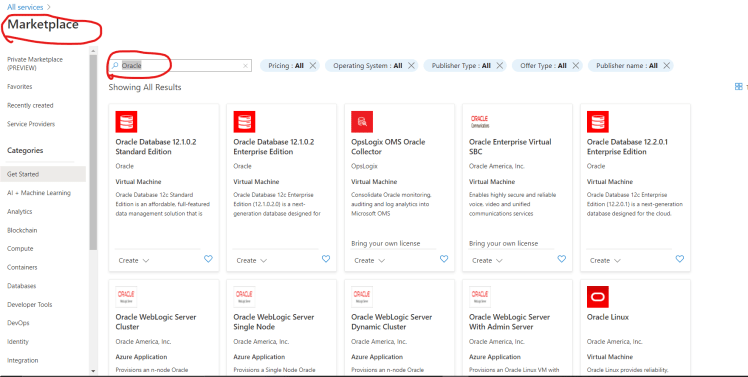
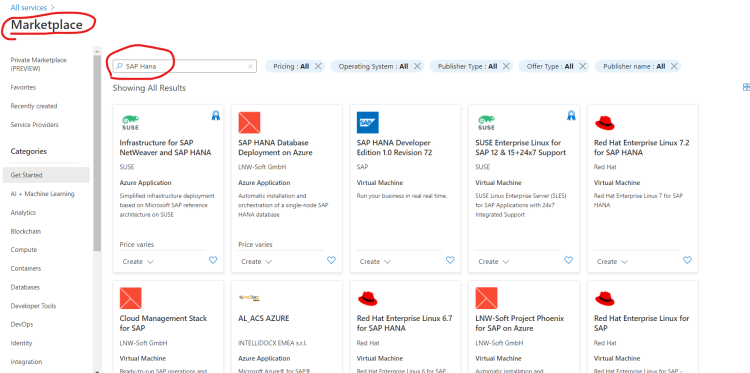
- Create a Azure VM and install any Database Engine
Endpoints of Azure SQL Database
- Azure SQL Database has an option of private endpoint which helps in connecting to azure sql privately using an ip with network range
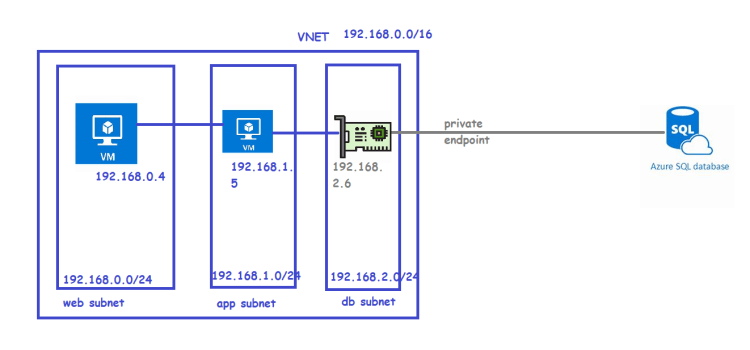
- Now lets see the options in azure portal
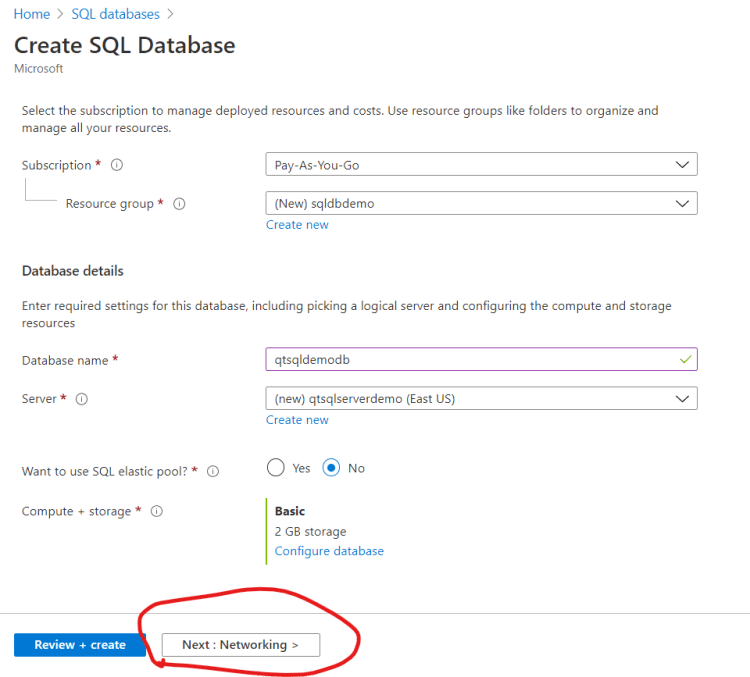
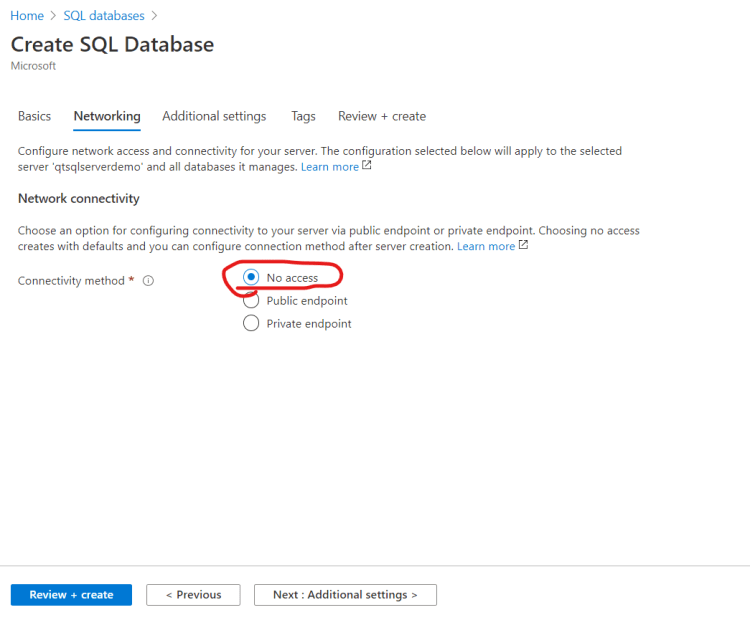
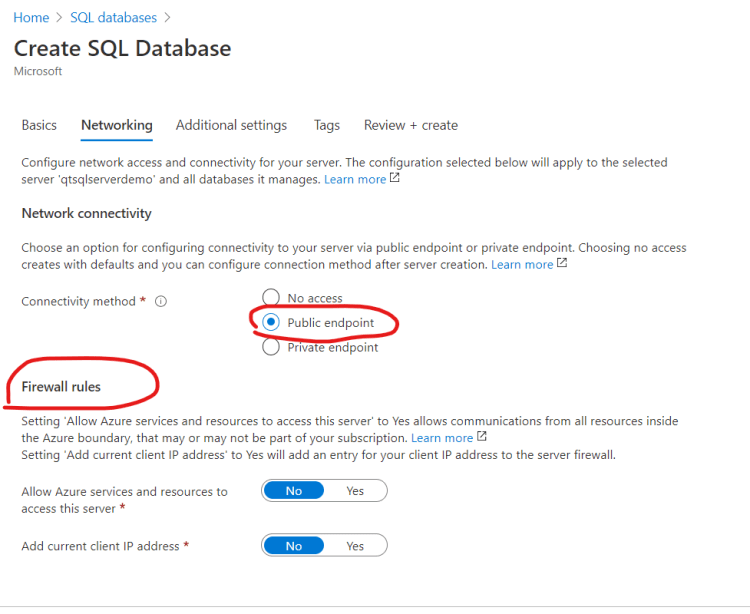
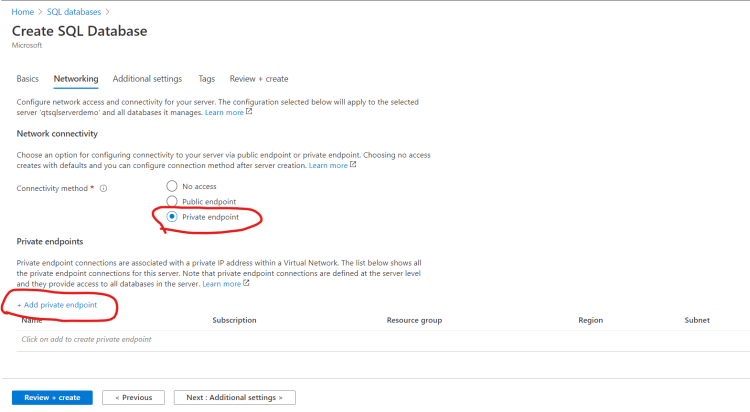
- Next steps:
- Lets create a virtual network
- in that virtual network lets create a vm
- Lets create azure sql and add private endpoint to the network
- Lets explore public endpoints and no access options
- SQL Firewall


