
Azure App Service Environments
- The Azure App Service Environments provides the capabilities to host
- Windows Web Apps
- Linux Web Apps
- Docker Containers
- Functions
Azure App Service Plans
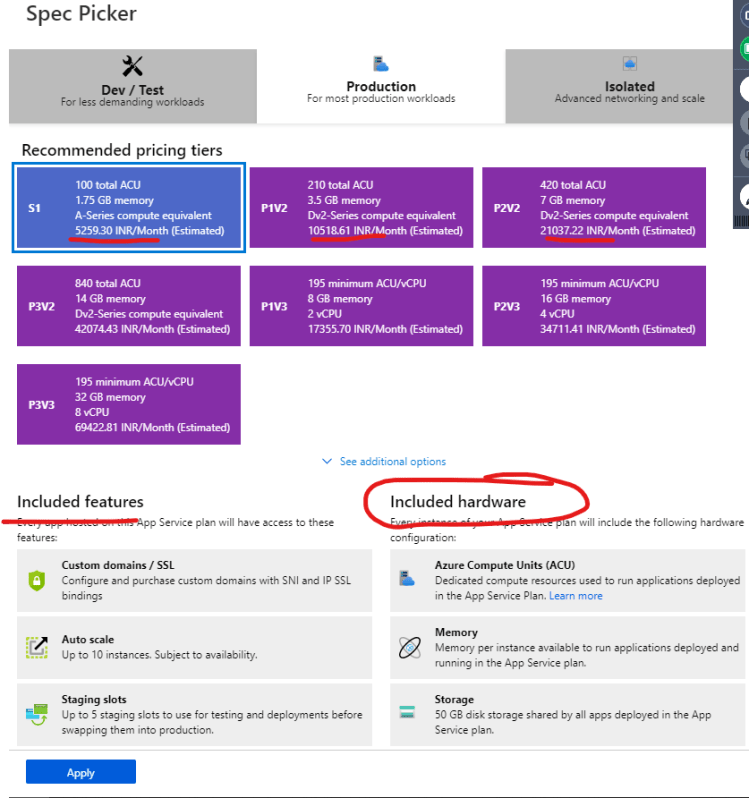
- For understanding the pricing plans, use the spec picker while creating the Azure App Service in Azure Portal
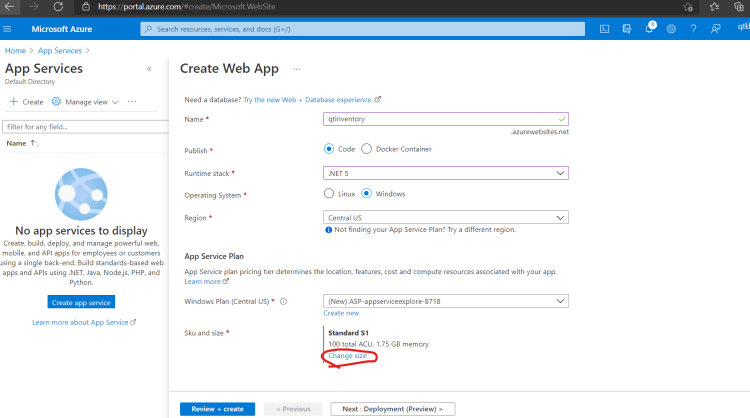
Apps with Databases
-
Create an asp.net web app with ms-sql server
-
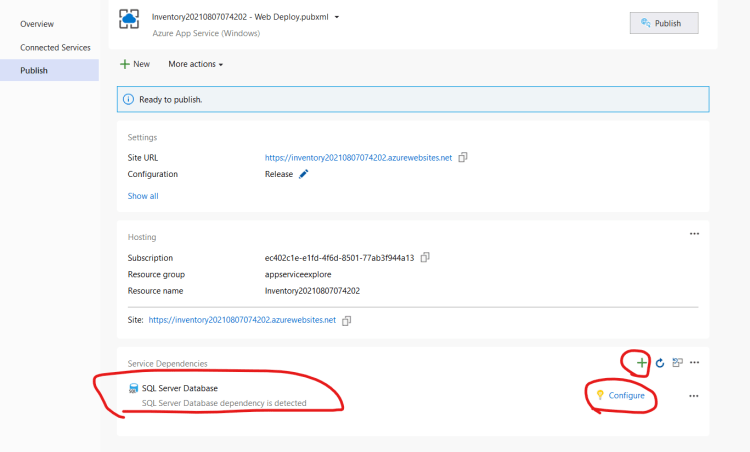
while publishing Visual studio will prompt for Configuring database
-
Python with database:
- Configure the az cli extension db up Refer Here
- Create a postgres database
- To Configure environment variables
az webapp config appsettings set --settings DBNAME="qtdevops"- For python now open asn ssh connection
az webapp ssh- Now run the migrations
python manage.py migrate
python manage.py createsuperuser
Serverless Computing
- Serverless is not actually serverless, it means users only need to manage code/application and not servers.
- Servers will be managed by Service Provider.
- We as users only pay when our code or function is executed in the server managed by provider
- AWS Lambda, Azure Function and gcp cloud functions are examples of serverless computing or Functions as a service (FaaS)
- Azure provides the consumption plan as well as App Service Plan for Azure Functions
- Benifits:
- Faster time to market
- No need to worry about infra provisioning
- Creating functions in multiple languages that are supported by cloud provider
- Drawbacks:
- Not portable: There is no standard implementation of Functions as a Service. If you have written serverless in AWS and now want to run the same implementation in Azure, we need to rewrite the code.


