
Git Continued
- We have to make two different releases of the application
- v1.0 => New Customers
- v1.1 => Existing Customer (Tesla) has some requirements
- Git supports branching. In git by default we have a branch called as master.
- Git branches are effectively a pointer to the snapshot of changes
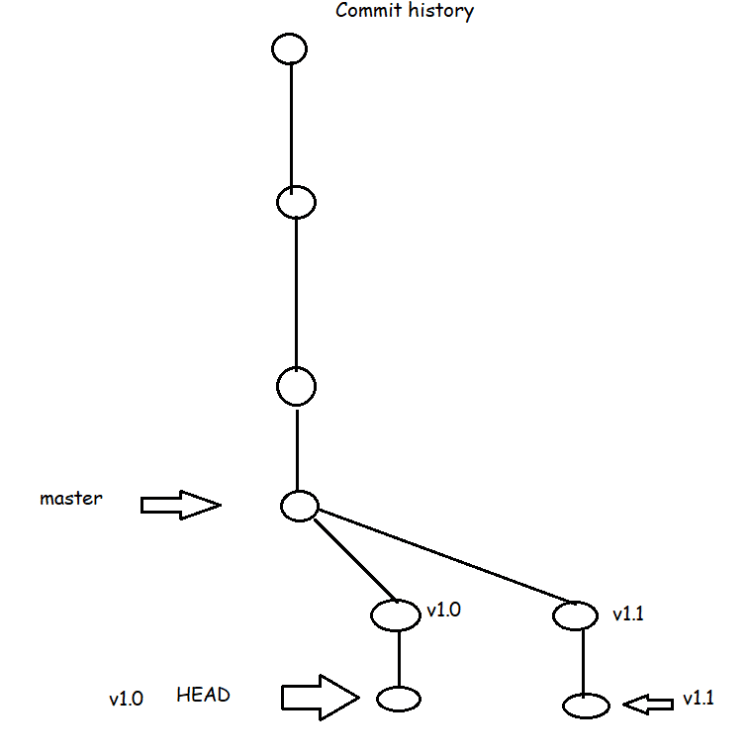
- In Development of applications, we generally come across situations which need parallel development of releases/features, we use git branching for that
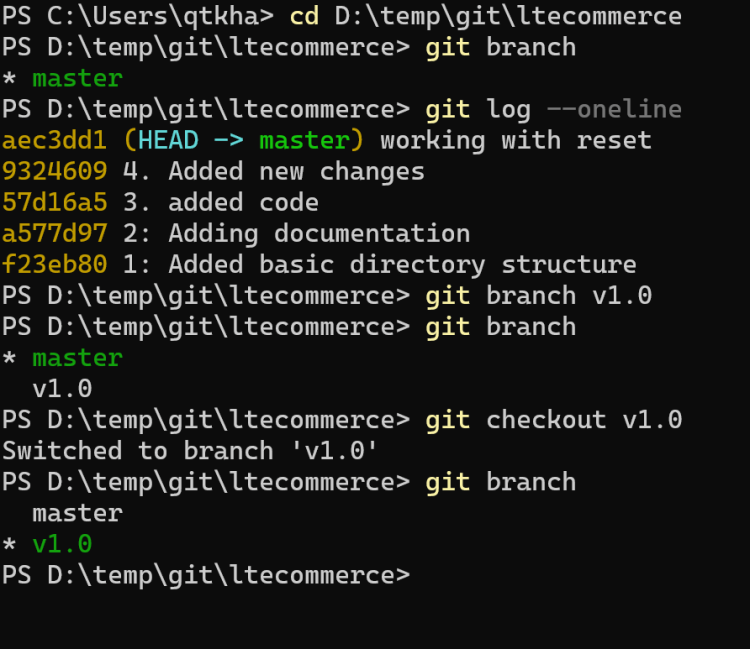
- Branch creation commands
git branch <branch-name>

git checkout -b <branch-name>
- To move from one branch to other
git checkout
- Git objects:
- Two major object types in git are
- blob represents a file
- tree represents a directory/folder
- We have the following object types
- commit: Commit is set of changes submitted along with datetime, message, author name and email.
- Two major object types in git are


