
Using Boto3
- Boto3 is AWS SDK for python
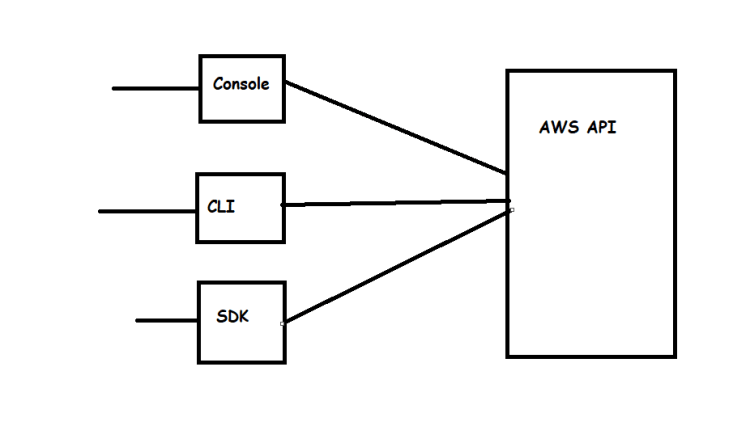
- Now lets install and configure boto3
- Create a new folder and in that folder create file called as requirements.txt
- Refer Here for the changeset
- Create an IAM User Refer Here
- Install aws cli and configure iam user Refer Here
- These iam credentials are used to connect to AWS account from the code
- Its recommended to create virtual environments Refer Here
- For writing sample code in boto3 Refer Here
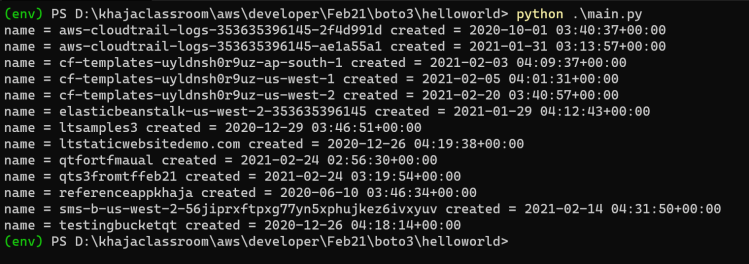
- A simple code to fetch all the s3 buckets and its creation date Refer Here for the changeset
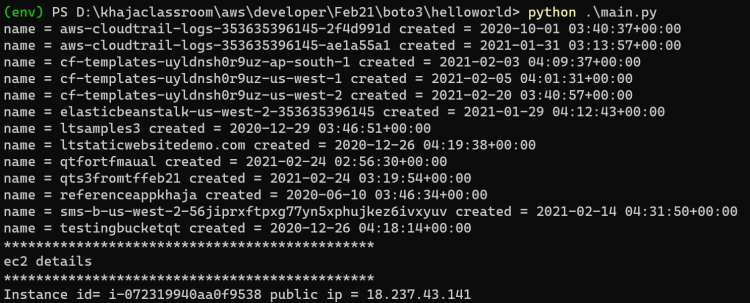
- Now lets manually create an ec2 instance and fetch the details using boto3. Refer Here for the changeset
- Now lets write a boto3 code Which will get all the ec2 instances which have tag ENV=Dev and stops the ec2 instance Refer Here for the changeset
- Now as a next step, we will write this code as lambda function where user describes the tags in lambda events and python boto3 code will stop the ec2 instancesa


