Querying/Filtering Azure CLI Results
- JMES Path is a way to filter the json. In Azure cli JMES Path expression can be applied using –query
- Refer Here for JMES Path Tutorial
- Lets take some sample json and query them
{
    "name": "Azure",
    "faculty": "Khaja",
    "Duration": 75

}
- To Fetch the value of name the JMES Path Expression is
name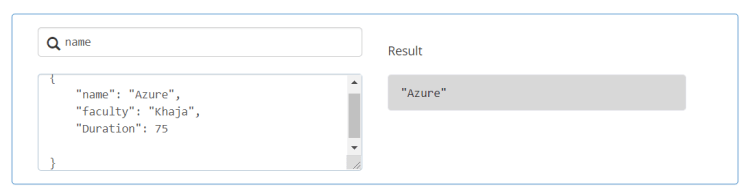
- Other Json
[
    {
        "name": "Azure",
        "faculty": "Khaja",
        "Duration": 75
    },
    {
        "name": "AWS",
        "faculty": "Khaja",
        "Duration": 75
    },
    {
        "name": "DevOps",
        "faculty": "Khaja",
        "Duration": 90
    }
]
- Write a JMES Expression to get all the course names

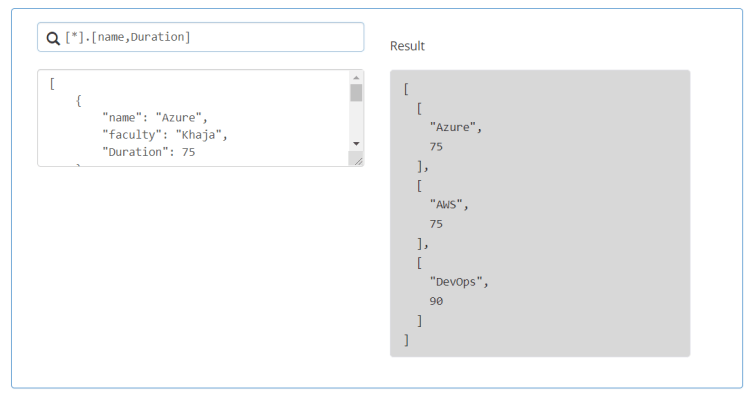
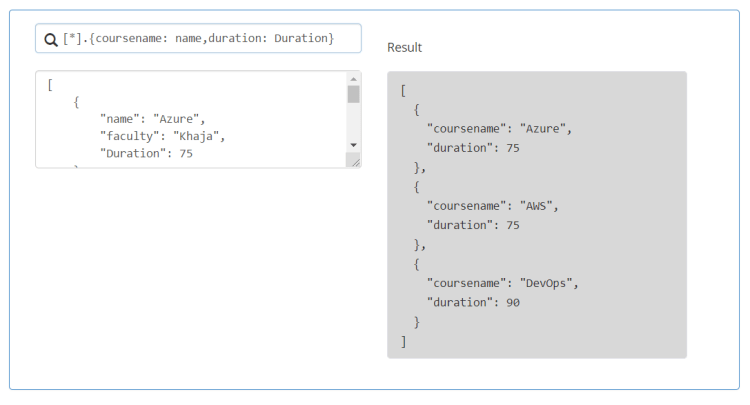
- Write a JMES Expression to get all the course names and duration
- Write a JMES Expression to get all the course names where duration is 75
[?Duration==75].name
- Json
[
    {
        "name": "Azure",
        "faculty": "Khaja",
        "Duration": 75,
        "Certifications": {
            "Admin": "AZ-104",
            "Developer": "AZ-204",
            "Architect" : ["AZ-300", "AZ-301"]
        }
    },
    {
        "name": "AWS",
        "faculty": "Khaja",
        "Duration": 75,
        "Certifications": {
            "Admin": "SysOps",
            "Developer": "AWS Developer Associate",
            "Architect" : ["Solutions Architect Associate", "Solutions Architect Professional"]
        }

    },
    {
        "name": "DevOps",
        "faculty": "Khaja",
        "Duration": 90,
        "Certifications": {
            "Ansible": "Redhat Ansible",
            "Docker": "Docker",
            "Kuberentes" : ["CKA", "CKAD"],
            "Jenkins": "Certified Jenkins Engineer"
        }
    }
]
-
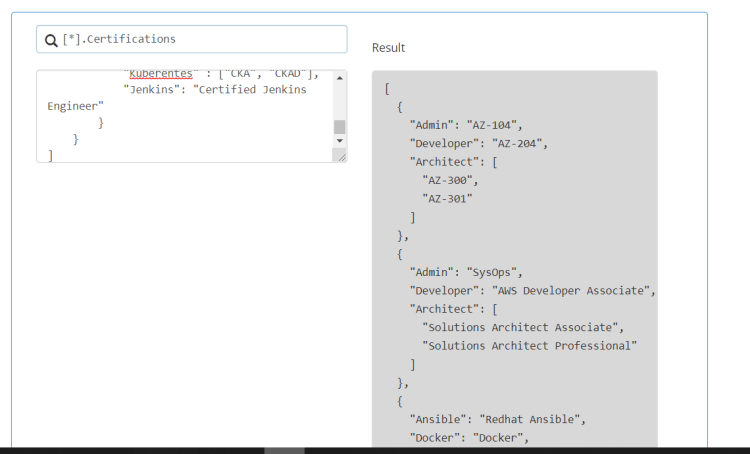
Write a jmes query to display all certifications for all the courses
-
Lets write a cli to query all the resource groups
az group list
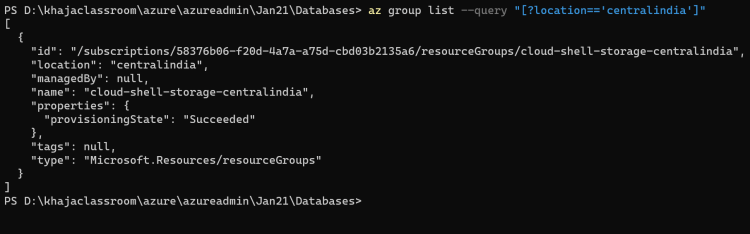
- Query to fetch all the resource groups in centralindia
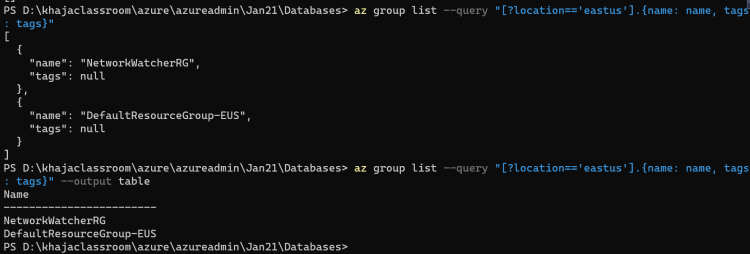
- Query to fetch all the resource group names, tags of eastus location
- Query to fetch all the azure sql server names
- Refer Here for the change set
Azure SQL Database Management using Azure Powershell
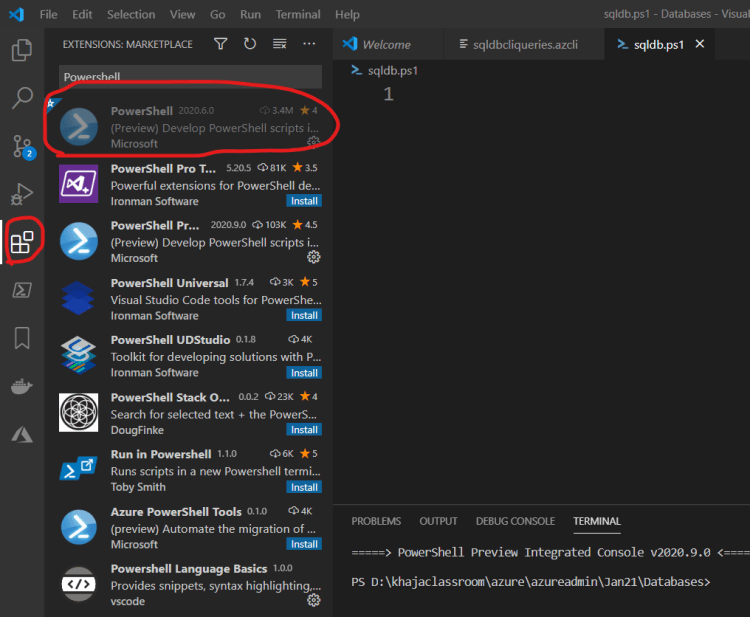
- Ensure Powershell Extension is installed
- Ensure Azure Powershell is installed
- Now login into azure using cmdlet “`Connect-AzAccount“
- Powershell cmdlets will be in the form of
<verb>-<noun>. To know more Refer Here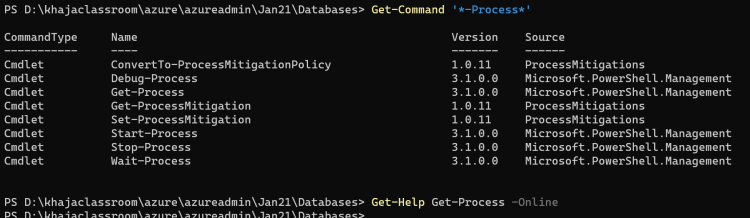
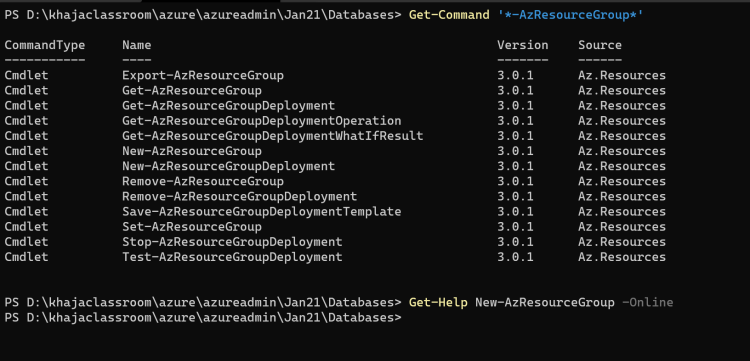
- If we need to search for azure Cmd lets the format
<verb>-Az<noun>