
VNet Peering
- Scenario:
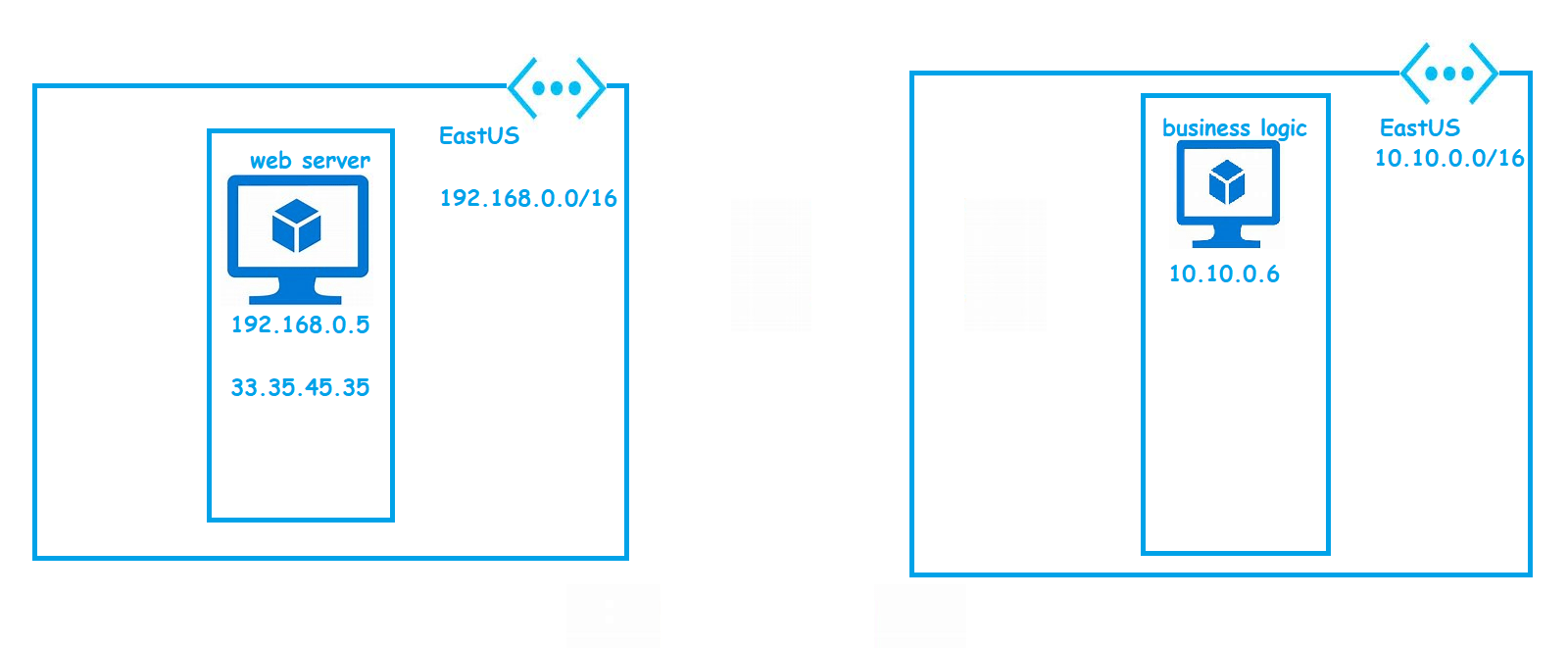
- VNet peering enable us to connect seamlesly Azure Virtual Networks as long as ip address ranges don’t collide
- Lets Create a Network A
- address range: 10.10.0.0/16
- subnets:
- web: 10.10.0.0/24
- app: 10.10.1.0/24
- db: 10.10.2.0/24
- location: EastUS
- Lets Create a Network B
- address range: 10.100.0.0/16
- subnets
- notification: 10.100.0.0/16
- location: WestUS


- Now lets create two vms one in web subnet of network A and notification subnet of network B

- Vnet peering enables private connectivity. i.e. machine in network A can reach machine in network B using private ip

- Navigate to vnet => network A and in settings blade select peering


- VNET Peering can be done b/w
- two vnets from same subscription in same region Refer Here
- two vnets from same subscription in different regions Refer Here
- two vnets from different subscription in same/different region Refer Here
- pricing:

VNET to VNET VPN
- Is used to establish private network connectivity b/w two networks.
- Encryption of the traffic can be customized using custom IPSec/IKE Policy
- In the case of Azure VNet peering, Azure backbone network is used (So no public ip is involved) but in the case VNET to VNET VPN public ip is involved
- VNet peering doesnot have any bandwidth restrictions where as vnet to vnet vpn has restriction from 100 MBPS to 1.25 GBPs
Next Steps
- VPN (Site to Site)
- Express Route
- Endpoints
- DNS & Routing
- Load balancers & Application Gateway
- Firewall


