
systemd-journald (journald)
- journald runs a system service that collects & stores logging data. It has ability to collect logs from user processes, the kernel logs, STDOUT & STDERR
- journalctl: The primary tool for interacting with journal files collected & maintained by journald is called journalctl
- Command-line:
- command to view all the journal logs
journalctl- Display most recent 10 journal logs
journalctl -n 10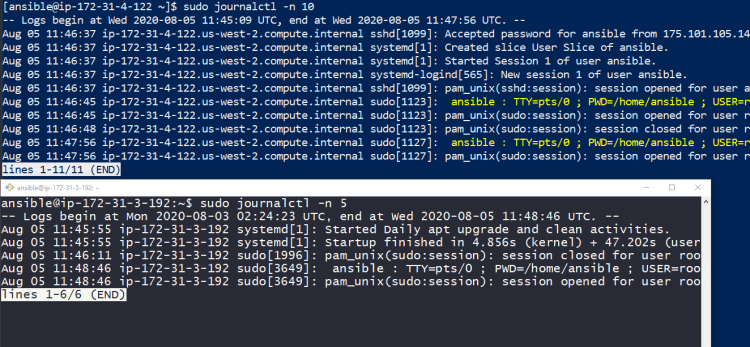 3. Detailed logs (verbose )
sudo journalctl -o verbose -n 2 4. if you want to view the logs as they are collected
sudo journalctl -f- view journal logs since last 5 days
sudo journalctl --since="5 days ago" sudo journalctl --since="5 days ago" --until="2 days ago" sudo journalctl --since=2019-12-31- To view the logs generated by certain service
sudo journalctl -u httpd
BOOT LOADERS
- For any os to boot , you need boot loader.
- Boot loader is the first software program that runs when your computer starts.
- Boot Loader is responsible for handing over the control of the system to Operating system.
- Typically boot loader will reside in the Master Boot Record (MBR) of the disk.
- In Linux distros most widely used boot loader is called as GRUB
- GRUB comes in 2 versions
- GRUB Legacy
- GRUB Version 2 (GRUB 2)
- GRUB aims to compliant with Multiboot Specifications & offers many features.
- The GRUB Legacy boot process happens in stages. Each stage is take care by special GRUB image files
Conventions Used in GRUB
- GRUB has its own special way of referring to devices (optical disc drives, hard disk drives & so on). The device name has to be enclosed in paranthesis ()
- GRUB starts numbering its devices & partitions from 0. EG: Hard drive on the controller (hd0)
GRUB 2
- GRUB 2 is most widely used boot loader now.
- Configuration files:
- Primary configuration file is now named as grub.cfg (In legacy grub we had menu.lst)
- Multiple files are used to Configure GRUB’s menu & these files are stored in /etc/grub.d/
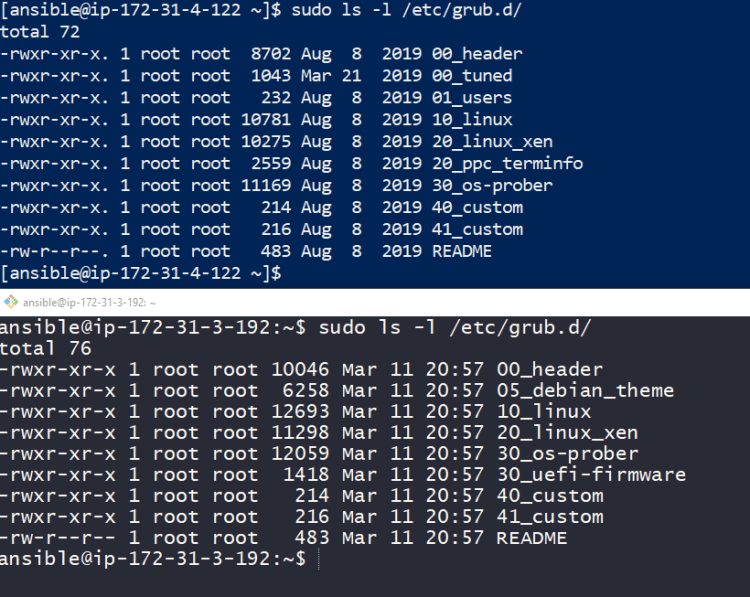
- 00_header => Sets the default values for some GRUB variables
- 10_linux => Helps to find all the kernels on the root device of current OS.
- 40_custom => This is where users can edit and store custom menu entries
- Partition numbers:
- Partition numbers in GRUB2 device names start at 1. However the physical device/name conventions are same.
- Configuring GRUB2:
- Primary configuration file of GRUB2 is grub.cfg which is generally located in /boot/grub2/grub.cfg
How Linux System Starts
- GRUB loader located in Master Boot record is started
- GRUB loader will find kernel files and load into RAM
- Then systemd or SYSVinit (Whatever is configured by distro) will be started which will be PID1
Topics left in Linux
- File Systems
- Shell/bash scripting
- Regular expressions (grep, awk & sed)
- Cron tab


