
Running Applications on AWS IAAS (EC2)
- refer here for system setup
- Create an ec2 instance
- login into that and install java and tomcat
- execute spring petclinic after downloading it gameoflife
sudo apt update
sudo apt install openjdk-8-jdk -y
sudo apt install tomcat8 -y
cd /var/lib/tomcat8/webapps
wget https://referenceappkhaja.s3-us-west-2.amazonaws.com/gameoflife.war

# in different vm
sudo apt update
sudo apt install openjdk-8-jdk -y
wget https://referenceappkhaja.s3-us-west-2.amazonaws.com/spring-petclinic-2.2.0.BUILD-SNAPSHOT.jar
java -jar spring-petclinic-2.2.0.BUILD-SNAPSHOT.jar
Sample Java Application
- Take any java web application Springpetclinic gameoflife
AWS Elastic Beanstalk
-
Elastic Beanstalk can help in quickly deploy & manage apps in the cloud without having to worry about infra to run the apps.
-
Sample Execution
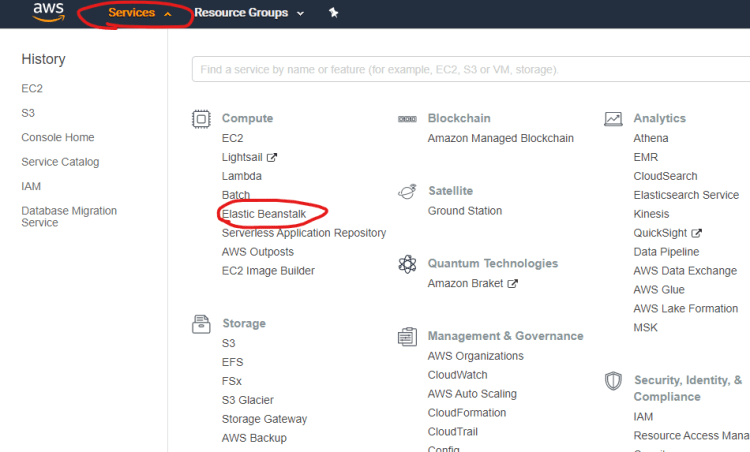


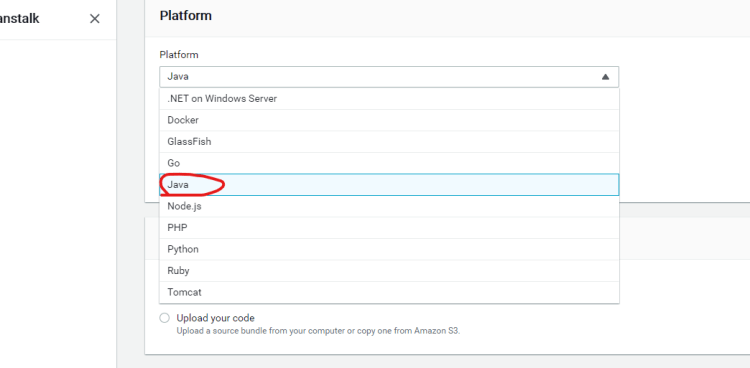


-
Sample Workflow with Beanstalk

-
Terms in Elastic Beanstalk
- Platform
- Application
- Environments
- WebServer
- Worker
- Versions


