
Overview of Containers
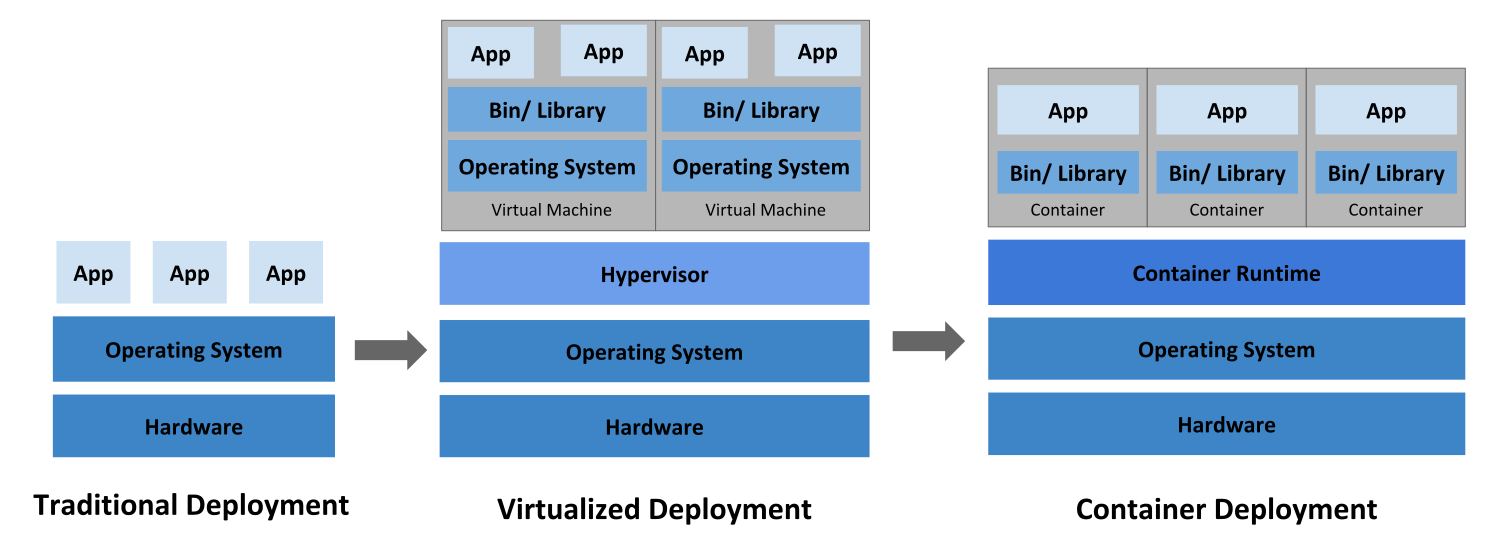
Why do we need Kubernetes
Question or Concerns about containers
- Containers are wonderful way of bundling and running your applications, But are they production ready?
- What would happen if container or the Docker Host goes down?
- How to make containers available 24*7 ?
- How to handle loads during peak time for the applications ?
- How to replace containers without having downtime with new Docker Image based containers ?
- How to monitor containers?
Solution to above Questions or Concerns
Wouldn’t it be good if there is some system which can help for handling all the questions/concerns raised in above section. That exactly what Kubernetes does.
-
Kubernetes takes care of
- Scaling requirements
- failover
- deployment patterns
-
Kubernetes Provides
- Service Discovery & Load Balancing
- Storage Orchestration
- Automated rollouts and rollbacks
- Automated bin packing
- Self-Healing
- Secret & Configuration Management
-
Kubernetes is not only for the open source community embraced containers, It is deeply embraced by the Cloud Providers.
- Amazon Web Service offers Elastic Kubernetes Services(EKS)
- Google Cloud platform offers Google Kubernetes Engine(GKE)
- Microsoft Azure offers Azure Kubernetes Services(AKS)
What is Kubernetes
- Kubernetes is a platform that manages container-based applications, their networking and storage components.
- In Kubernetes, we focus on the application workloads rather than the underlying infrastructure.
- Kubernetes provides a declarative approach to deployments, backed by a rich set of APIs for management operations.
- Cluster: Cluster is collection of compute, storage and networking resources that Kubernetes uses to run workloads.
- Node: It is a single host. Now we can put the cluster as collection of nodes.
- Kubernetes has two kinds of Nodes
- Master:
- Provides core Kubernetes Services and orchestration to application workloads
- Node:
- run your application workloads
- Master:
Kubernetes Cluster Architecture

What would be our approach with workloads in Kubernetes?

- We would be describing our application as YAML manifest and pass it to Kubernetes master from some client, and Cluster Master does the rest.
Pets Vs Cattle
I have found a interesting image in cloudrumblings.io, See the reference below

- In Kubernetes we follow cattle analogy and we would be discussing more in next series of articles


