

Adding Agents to Azure DevOps
- For configuring self host agents go through the classroom video
- Create a linux agent (ubuntu 20)
- Install java 8
- install maven
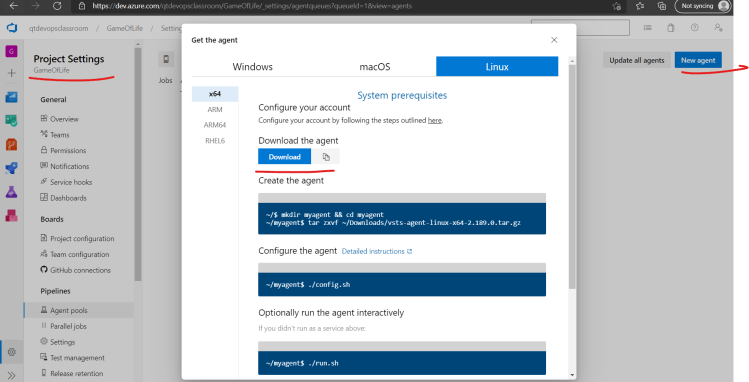
- With the azure-pipelines.yaml as shown below and with the self hosted agent

---
trigger:
  - master


variables:
  MVN_GOAL: 'package'

pool:
  name: Default

steps:
  - task: Maven@3
    inputs:
      mavenPomFile: 'pom.xml'
      goals: $(MVN_GOAL)
      jdkVersionOption: 1.8
      testResultsFiles: '**/surefire-reports/TEST-*.xml'
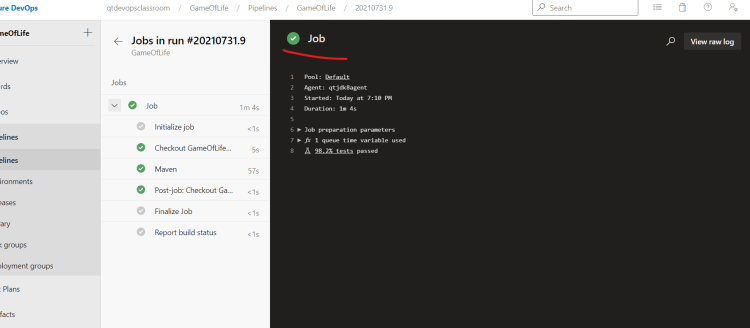

-
For working with different technologies in Azure DevOps Refer Here
-
For building .net application on Windows
- Install Visual Studio Build Tools
- Restore the nuget package
C:\hostedtoolcache\windows\NuGet\5.10.0\x64\nuget.exe restore D:\a\1\s\WebApplication1\WebApplication1.sln - Run the msbuild command
C:\Program Files (x86)\Microsoft Visual Studio\2019\Enterprise\MSBuild\Current\Bin\msbuild.exe" "D:\a\1\s\WebApplication1\WebApplication1.sln" - Run the testcases
C:\Program Files (x86)\Microsoft Visual Studio\2019\Enterprise\Common7\IDE\Extensions\TestPlatform\vstest.console.exe "@D:\a\_temp\nml1iy2lu5z.tmp"
-
Exercise:
- Ansible:
- Write an ansible playbook to deploy game-of-life on tomcat
- Terraform:
- Write a terraform template to create a linux instance (in any cloud) and deploy game of life application
- Docker and K8s:
- Write a Dockerfile for game-of-life
- Create a K8s Manifest for game-of-life deployment
- Ansible:


