
Azure Subscriptions Monitoring Options
- Azure Service Status: In this page we can find all the regional and non-regional services health, be aware of ongoing issues at the Azure Platform level. Refer Here
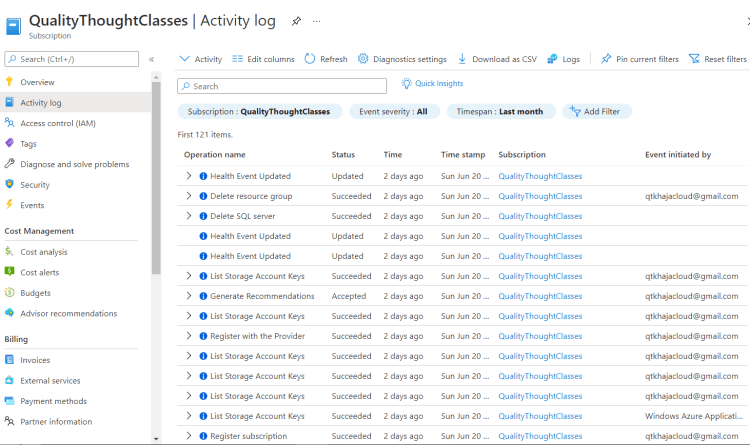
- Activity Logs: We can identify any subscription level create, update, delete operations performed in the selected time duration
Health Monitoring
- Azure Services Health Monitoring and Health Alerts
- Lab Setup:
- Create a resource group
- Create an Azure VM Instance and Azure SQL
- Create a Resource Health Alert for VM
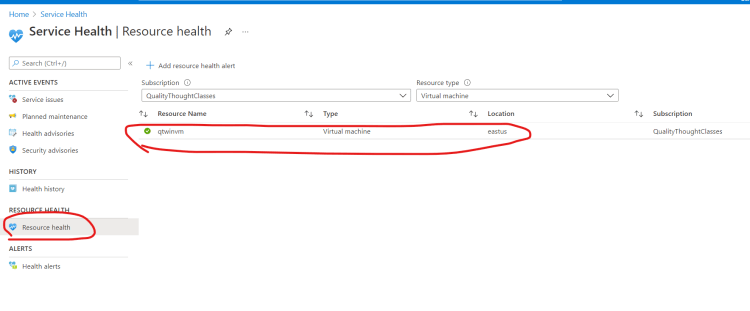
- Create a Resource Health Alert for SQL
- Exercise:
- Create an Alert when the
Percentage CPU > 80%call it as high CPU - Create an Alert when the
Percentage CPU < 10%call it as low CPU
- Create an Alert when the
- The Alerts create above are based on Metrics which are collected by Azure.


