
Using Boto3 in lambda
- Lets try to adopt the code to work with lambda
import boto3

ec2_resource = boto3.resource('ec2')

for instance in ec2_resource.instances.all():
    for name_pair in instance.tags:
        if 'Dev' in name_pair.values():
            instance.stop()
- Refer Here for the changeset
- Now create 2 ec2 instances
- For one machine try to give tags as
- env: Dev
- env: QA
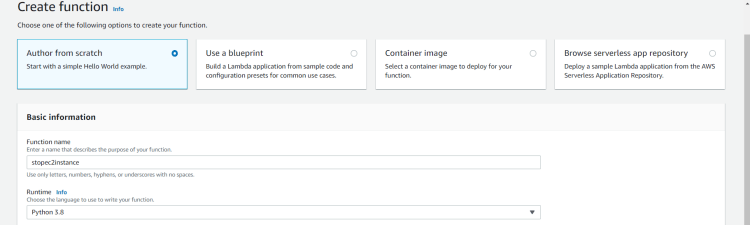
- Now create a lambda function
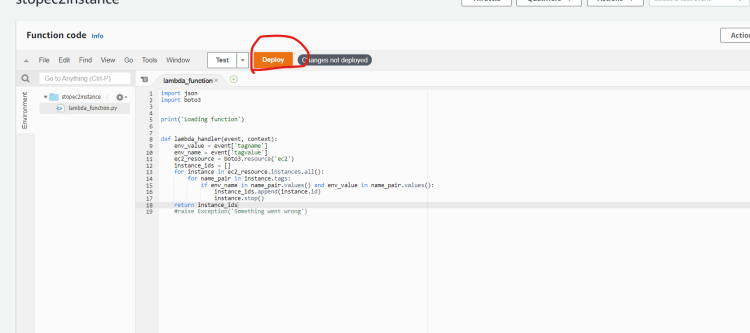
- Now deploy the function
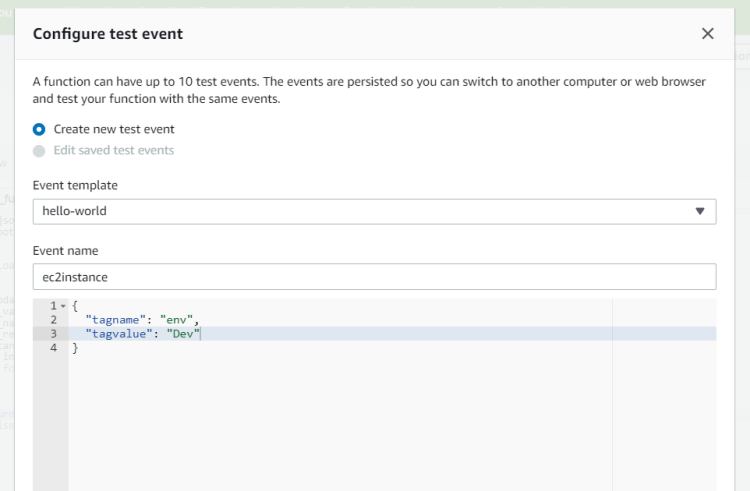
- Create and save test event
- Now test the functionality by executing test, we will see some failures
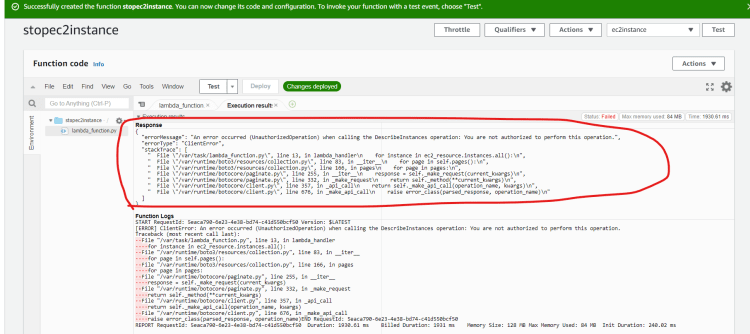
- Reason for error is aws lambda doesnot have permissions to change ec2 state
- Now lets create a role to have full ec2 access for aws lambda, navigate to IAM
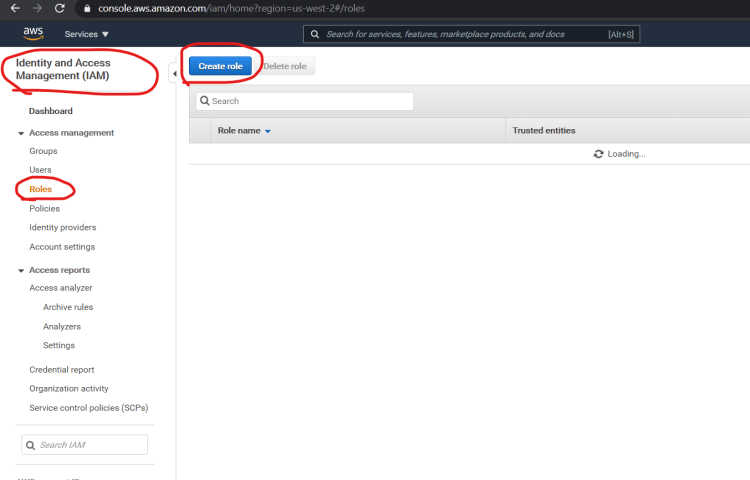
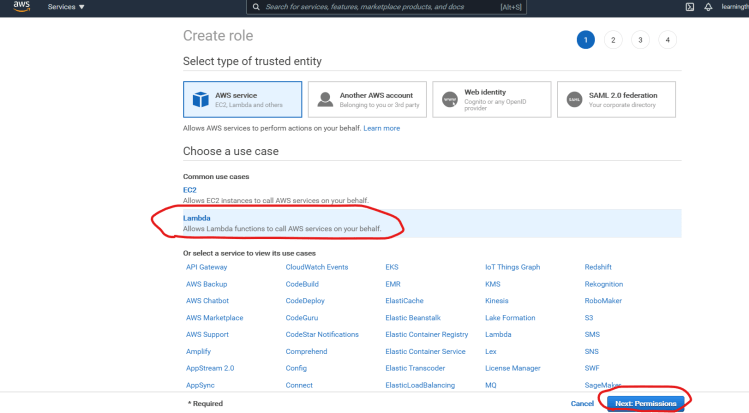
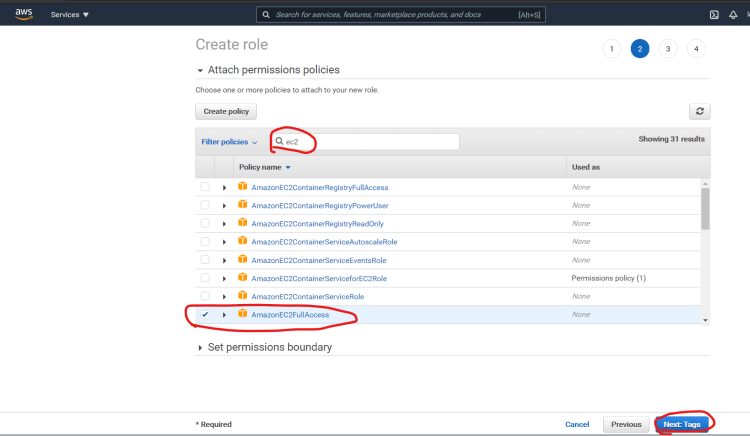
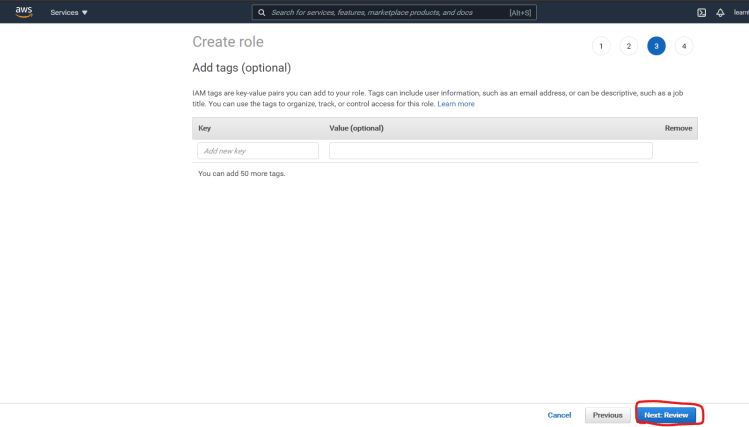
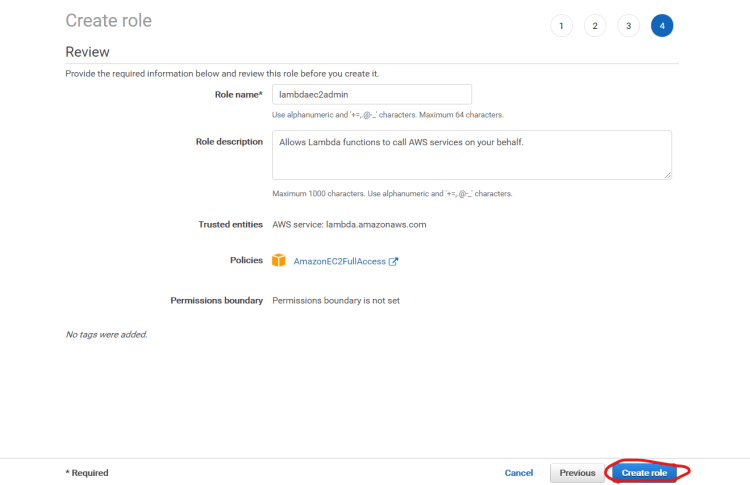
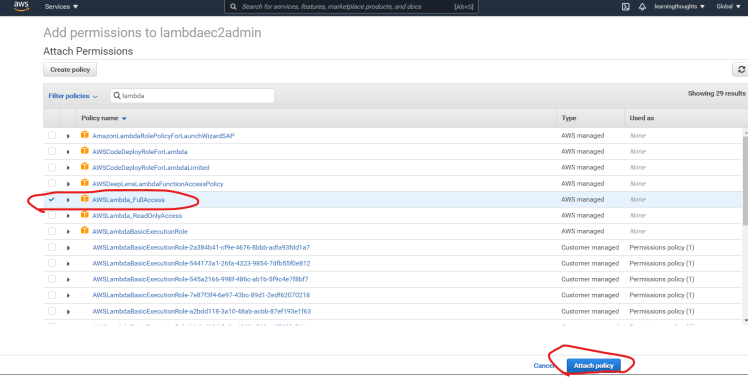
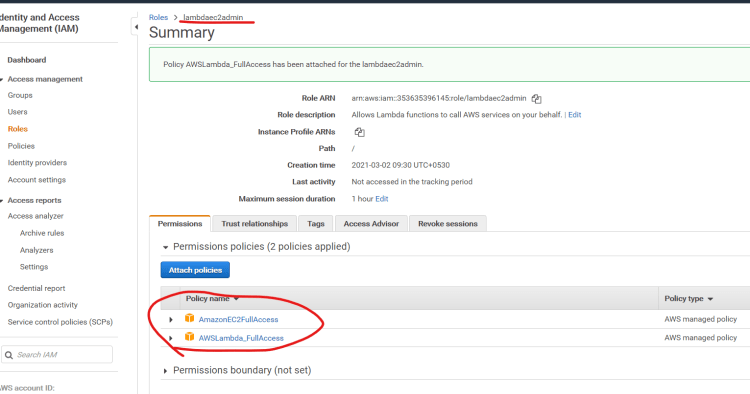
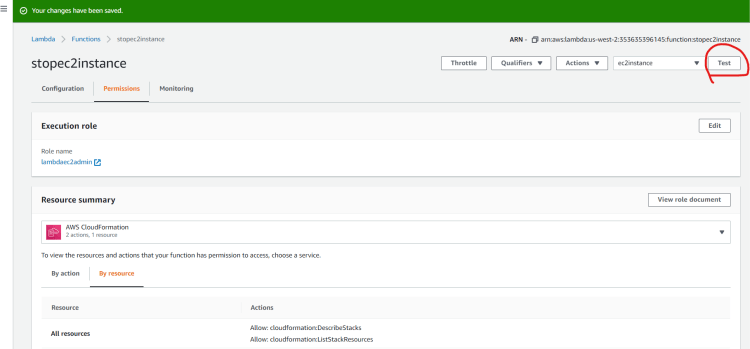
- Now change permissions for lambda function
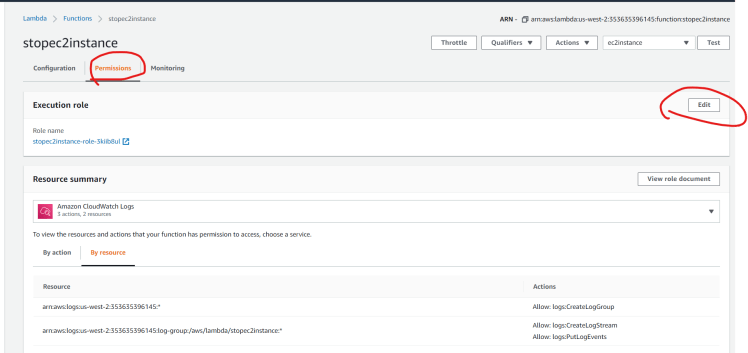
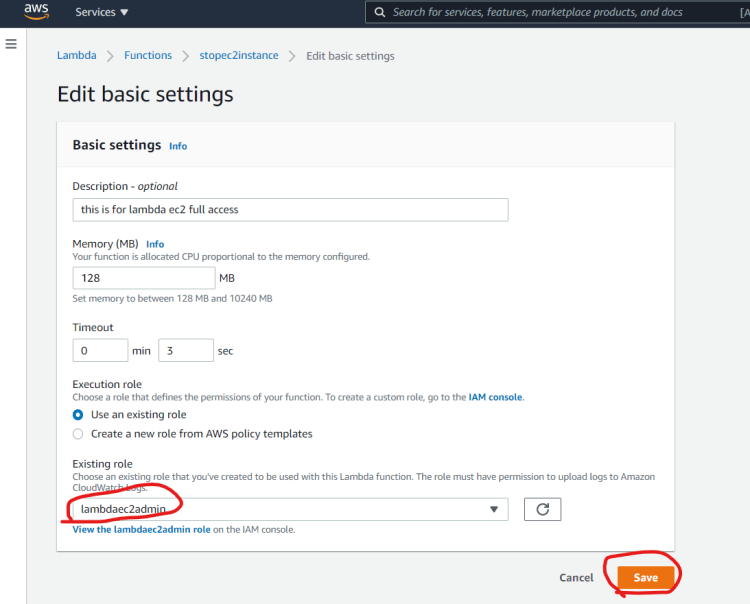
- Now lets test the lambda function

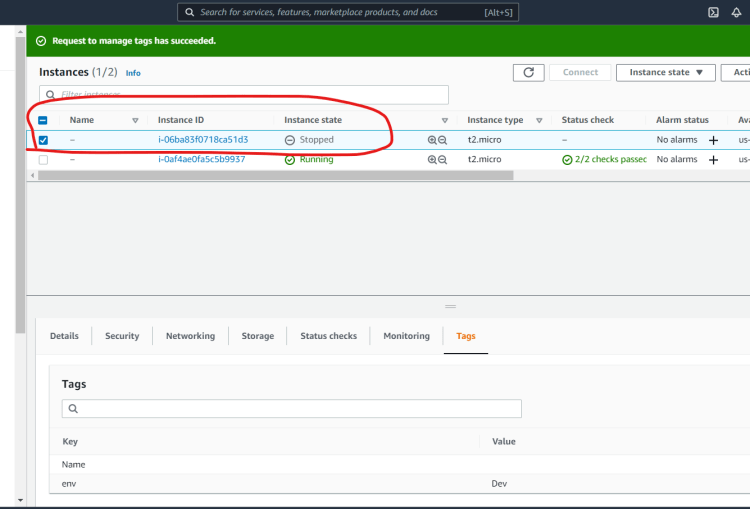
- Now this lambda function can be triggered from various sources of events
- cloudwatch
- Rest API Call
- Lets make some more changes in the code so that this lambda function can start, stop or terminate instances
- Refer Here for the changeset
- Next steps how to integrate lambda from triggers and how to pass across results to destinations

- AWS has SDK’s for other languages Refer Here


