Working with Remote git
- Scenario: We will be simulating two developers working on git
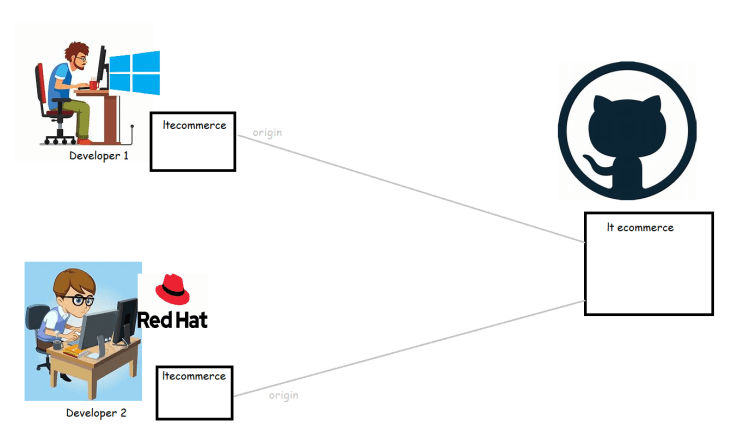
- Configure username and email for the git users in linux and windows

git config --global user.name "your-username"
git config --global user.email "your-email"
- On the linux machine lets use ssh to connect to git, for that we need to configure ssh keys in the remote repository
- create ssh-key pair
ssh-keygen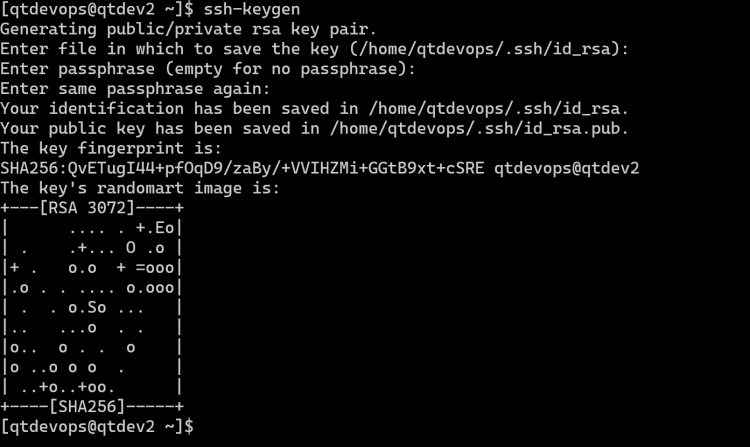
- Copy the public ssh-key to github ssh keys
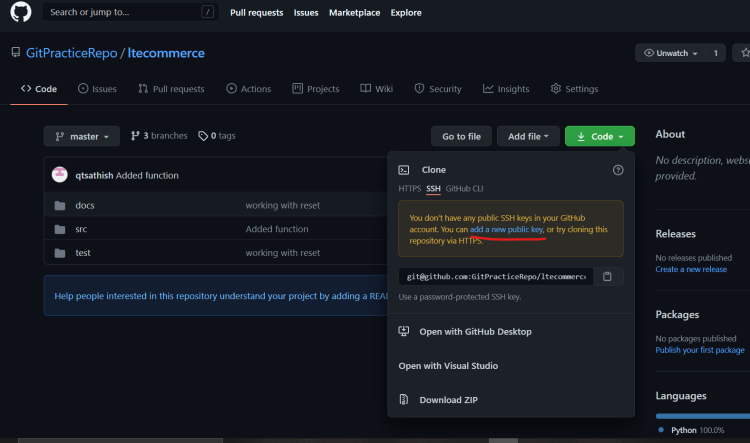

- clone the repo on the linux machine for developer 2
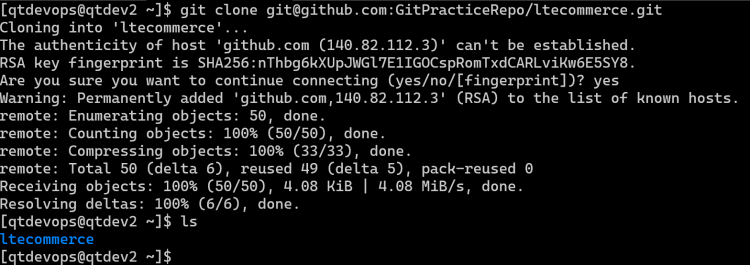
- Developer 1 starts working on a feature f1001 in the v1.0 branch
- commit the changes of developer 1
- Developer 2 also starts working on feature f1002 in the v1.0 branch
- commit the changes of developer 2
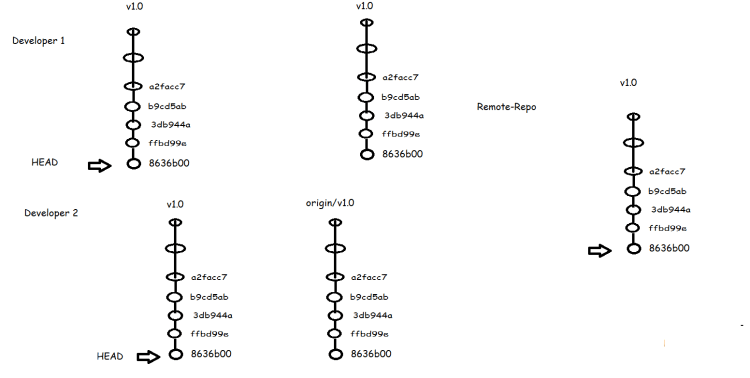
- As of now the state of branches after developers have done local changes
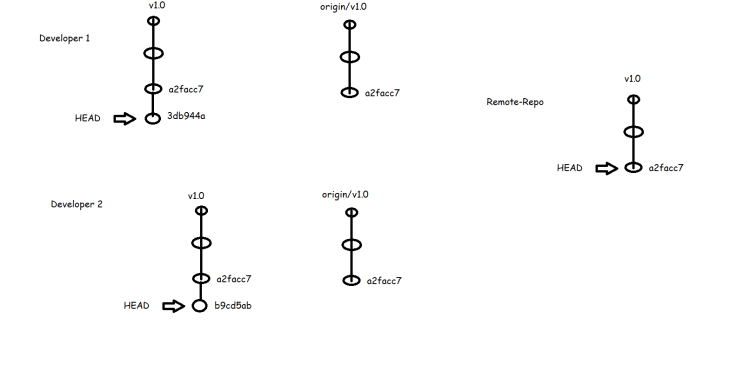
- Now Developer 2 has pushed the changes to the remote repository
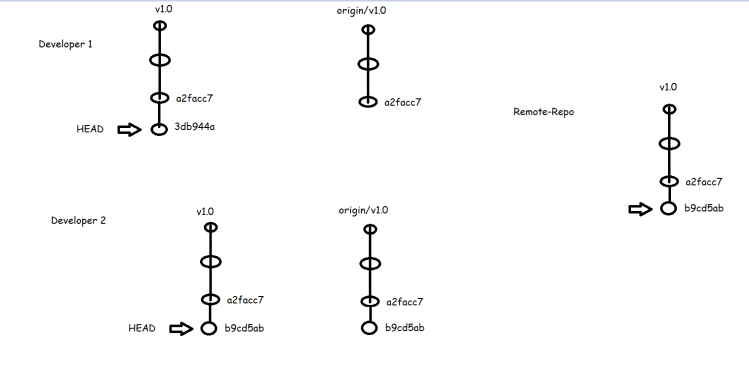
- In Git when we want to push the changes the remote-repository branch (which looks at latest commit ) the origin/branch should exactly match with the remote repository branch
- Now Developer 1 wants to push the changes, this leads to error as origin/v1.0 is not matching the remote branch
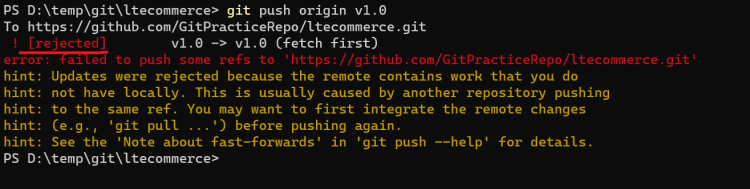
- Now Developer 1 updates the local repo by using pull command, fixes the merge
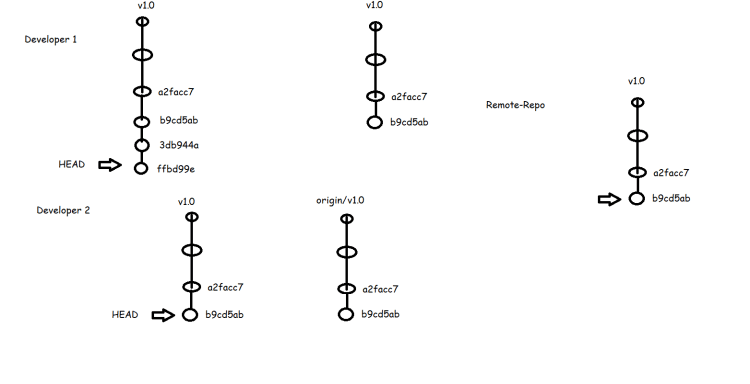
- Now Developer 1 can push his changes
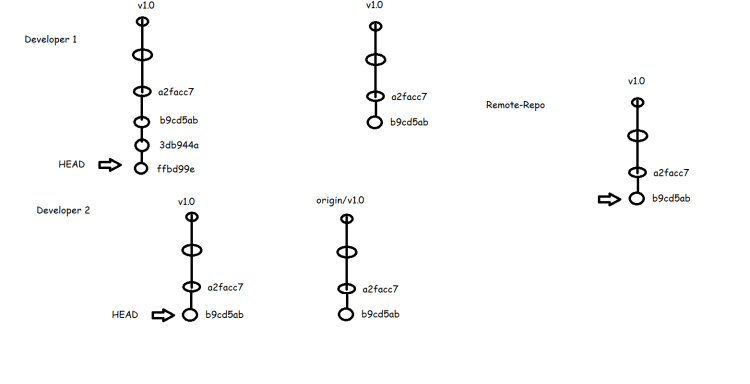
- Now Developer 2 starts working on feature f1003
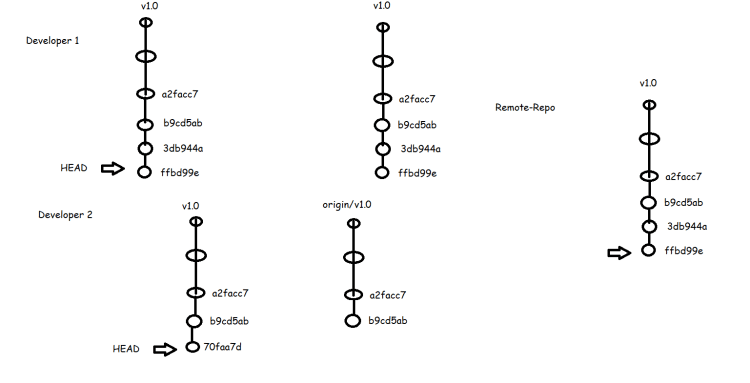
- When developer 2 pushes the changes he will get error as he needs to pull the changes. Developer 2 wants to pull the changes but he doesnot want a new merge commit to be created.


git pull --rebase
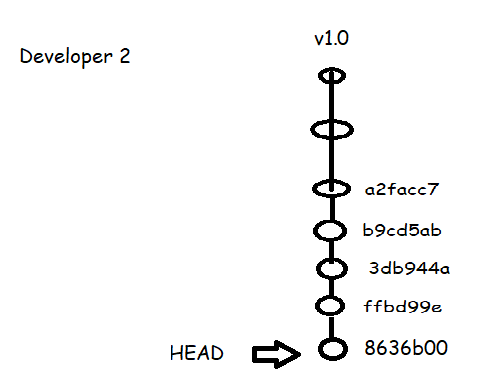

- Now both developer 1 can get the changes using git pull

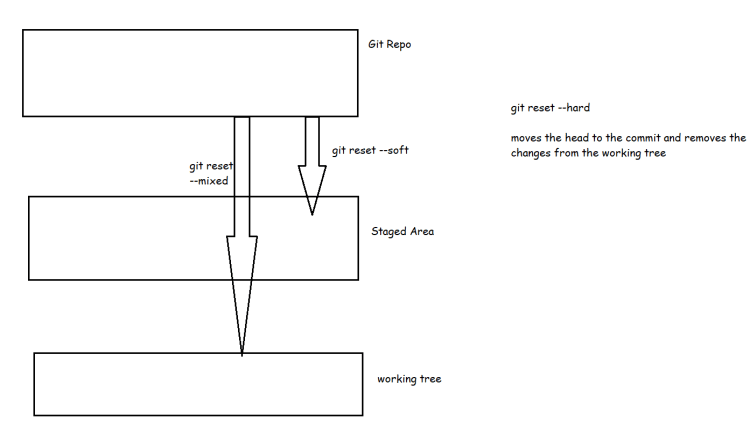
Git Reset Hard vs mixed vs soft