The ENV directive is used to set environmental variables.
These environmental variables are used by applications to get information
Syntax
ENV <key> <value>
ARG instruction is used to define the variables that the user can pass while building the image
Syntax
ARG <variablename>=<defaultvalue>
ENV variables will be available in the containers also
Refer Here for the changeset containing the dockerfile
Now while building the images using docker file use the following commands and explore the differences
docker image build -t envargdemo:1.0 --build-arg downloadlocation='https://referenceappkhaja.s3-us-west-2.amazonaws.com/spring-petclinic-2.2.0.BUILD-SNAPSHOT.jar' .
# login into the container to see the file downloaded and the environmental variables
docker container run -it envargdemo:1.0 /bin/bash
ls
echo $dummy
echo $applicationpath
exit
# Create one more container
docker container run -e dummy='test' -it envargdemo:1.0 /bin/bash
ls
echo $dummy
echo $applicationpath
exit
WORKDIR instruction
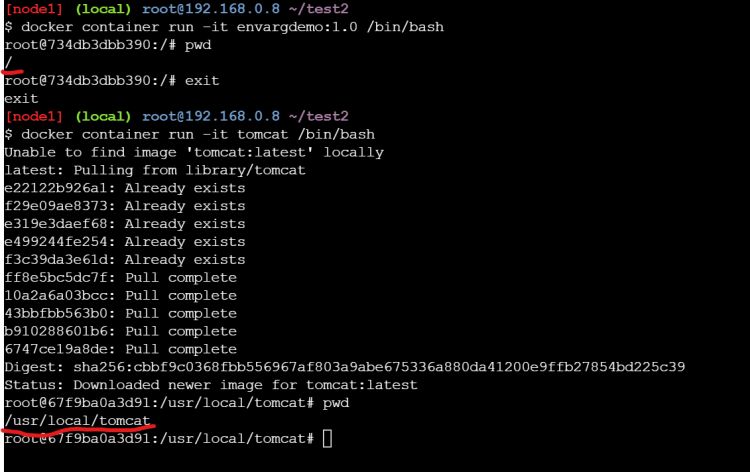
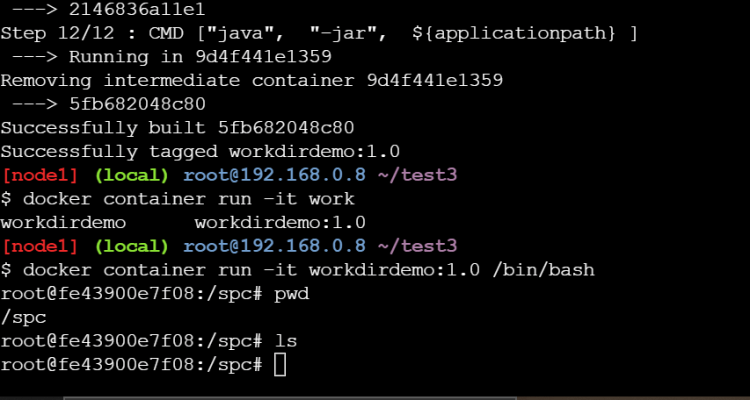
In the below image we ran two different containers where the working directory of the containers are different
By default if we donot specify the default working directory is /
Where as in Dockerfile it is possible to change the working directory
During the docker image build process we might require to copy files from our local system into docker image filesystem. This can be acheived by using COPY/ADD instruction
In some cases while building docker image you might require to download the files from some urls and copy to the docker file system, then we can use ADD instruction
ADD <source> <destination>
Refer Here and try to build the docker image and check the behavior of COPY and workdir
USER instruction
Look at the example below
So there is some way to set the default user other than root user in DockerImage. This can be achieved by using USER instruction