

Azure Event Grid
- Azure Event grid allows us to easily build event-driven architectures.

- Select the Azure Resource you would like to subscribe to and then give the event handler or Webhook endpoint to send the event to
- Event grid has inbuilt support for events coming Azure services and also supports custom topics for custome envents
- For Event Source supported Refer Here
- For Event Handlers supported Refer Here
- Concepts:
- Event
- Event Source
- Topics
- Event Subscriptions
- Event Handlers
- Usecases with Event Grid
- Serverless application Architectures

- Ops Automation

- Application Integrations

- Serverless application Architectures
- For pricing Refer Here


A Sample Event grid scenario
- Lets create a storage account

- Enable Event Grid Resource Provider
- Select subscriptions
- Select resource providers under Settings
- Find Microsoft.EventGrid and if not register Register

- Lets navigate to storage account
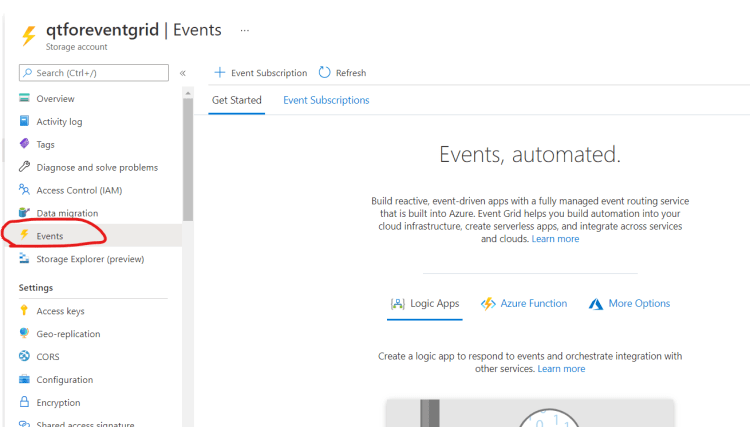
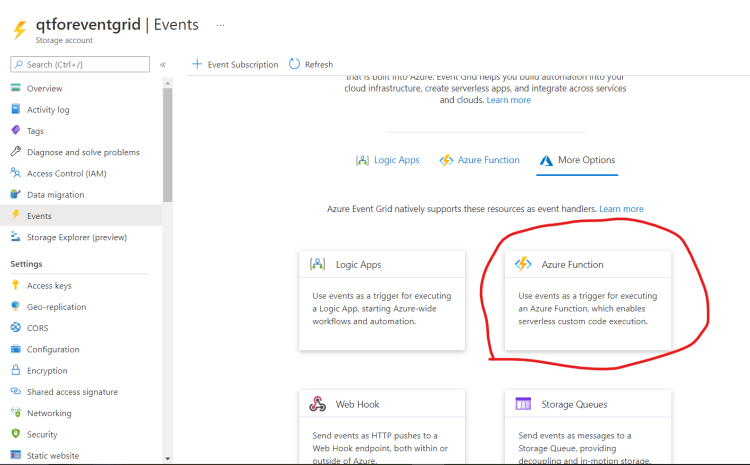
- Create an azure function in vscode which has an event grid trigger Refer Here for the changeset
- Now complete the integration


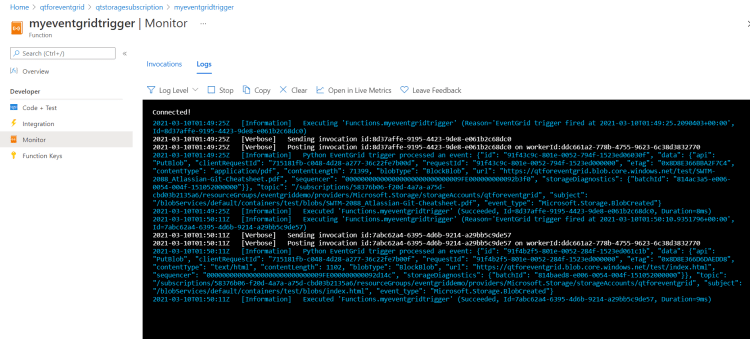
- Now test invocation by uploading some documents


Azure Event hub
- Azure event hub is a big data streaming platform and event ingestion service, it can recieve and process millions of events per second.
- Data sent to the event hub can be transformed and stored by using real time analytics provider or storage adapters
Azure Service Bus
- Azure service is a fully managed enterprise message broker with message queues and pub-sub topics.
- Try to understand Enterprise Service Bus Refer Here
- Refer Here for messaging samples


