

Azure App Service
- This is HTTP(s) based service hosting for web applications, REST APIs and mobile backends
- App Engine Supports applications written in
- .NET
- .NET CORE
- Java
- Python
- Node Js
- Ruby
- Docker Containers
- App Service run and scales with ease on Linux and Windows Environments
- App Service Plans:
- App Service plan defines a set of compute resources for web app to run
- Each App Service plan defines
- Region
- Number of VM instances
- Size of VM Instances (Small, Medium, Large )
- Pricing Tier (Free, Shared, Basic, Standard, Premium, Premium V2, Premium V3, Isolated )
- Pricing Tier determines App Service Features and how much we pay for the plan. There are the following categories on app service pricing tier
- Shared Compute:
- Free and Shared are the two base tiers are part of this category
- This tiers allocate CPU quotas to each app that runs on shared resources.
- Shared resources cannot be scaled out
- Dedicated Compute:
- Basic, Standard, Premium, Premium V2, Premium V3 tiers run apps on dedicated Azure Vms
- Only Apps in same App service plan share the same compute resources.
- Scale out is possible
- Isolated:
- Isolated tier runs on Azure Vms on dedicated networks
- This offers network isolatation on top of compute isolation
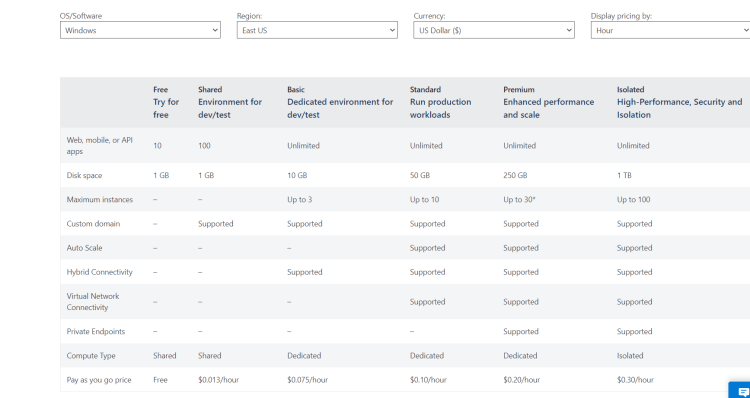
- Shared Compute:
- Lets Explore Features for Windows App Service Plans
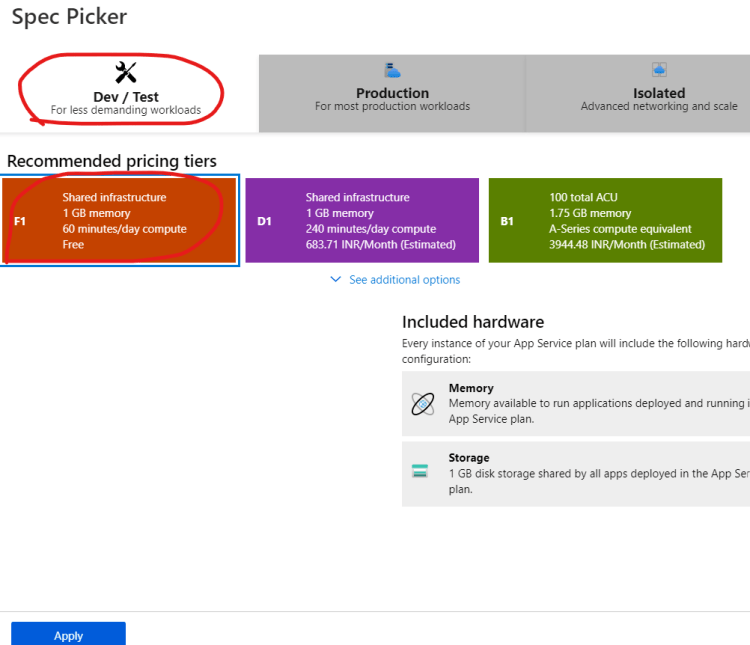
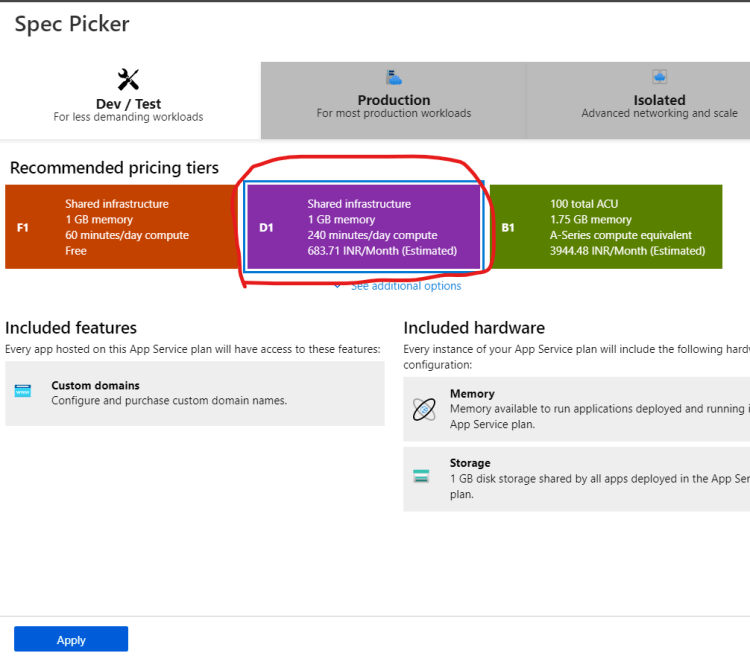
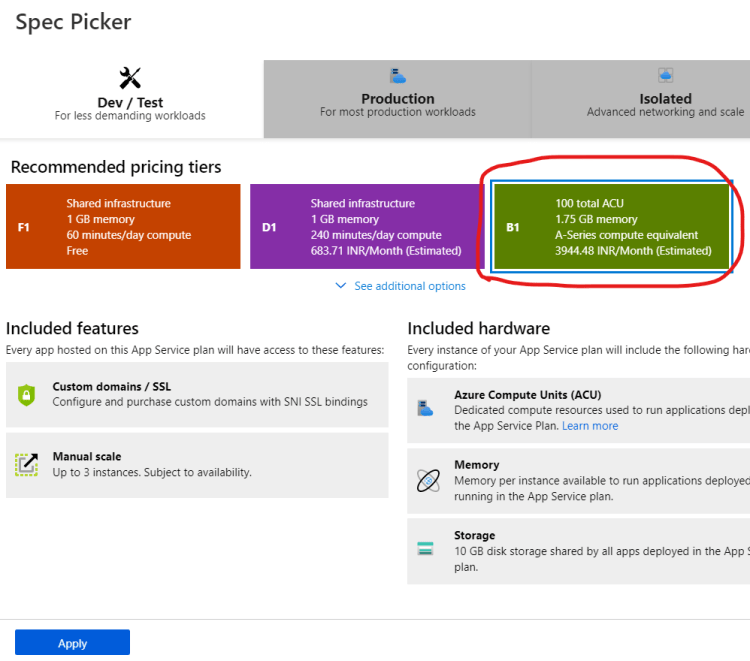
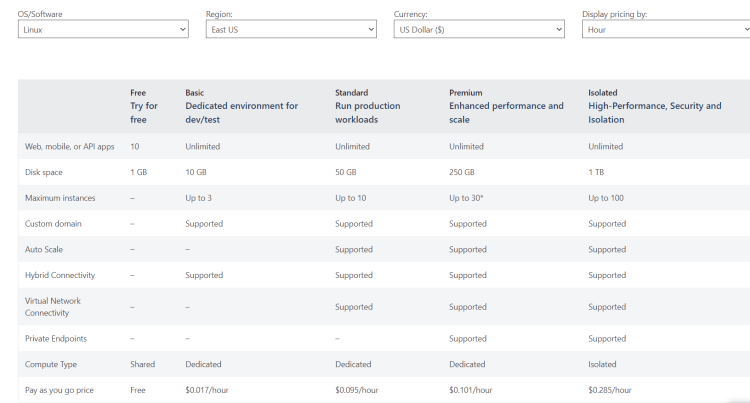
- Exercise: Explore features for Linux App Service Plans as well


Lets Explore App Service using various Technologies
Python on Linux
- Refer Here for the documentation
- Login into linux system
- Install Azure CLI Refer Here
curl -sL https://aka.ms/InstallAzureCLIDeb | sudo bash
az login
- Ensure python 3 is installed
python3 --version
- Clone the code of the python sample
git clone https://github.com/Azure-Samples/python-docs-hello-world
- Run the application locally Refer Here
- Deploy the application Refer Here



