

vCore (Virtual Core) model
- This is microsoft recommended purchasing model
- where you get flexibility of independent scaling compute and storage to meet application needs
- You get an option to use existing SQL Server License to save costs upto 55%
- You can also reserve compute resources with Azure SQL Database Reserved Instances
- VCore Model has the following service tiers
- General Purpose: suited for dev/test. SLA 99.99% with IO Latency 5-10 ms .Compute and storage in General purpose tier has three options
- Provisioned
- Serverless
- Hyperscale
- Business Critical: Suited for production. SLA 99.99% with IO Latency 1-2 ms. We can also configure Read Scale-out at no extra cost
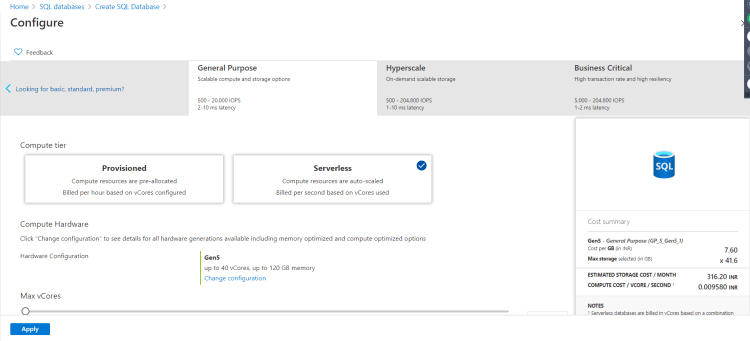
- General Purpose: suited for dev/test. SLA 99.99% with IO Latency 5-10 ms .Compute and storage in General purpose tier has three options

Backup options in Azure SQL Databases
- Create a azure SQL Database
- note: To Connect to database use sql server management studio Refer Here or linqpad
- Navigate to SQL Server and in the sql server blade choose manage backups
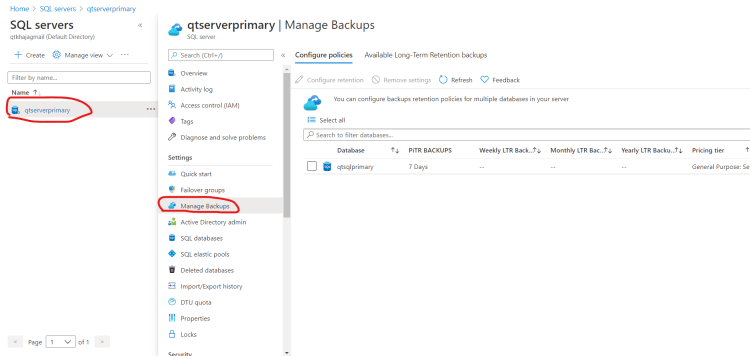
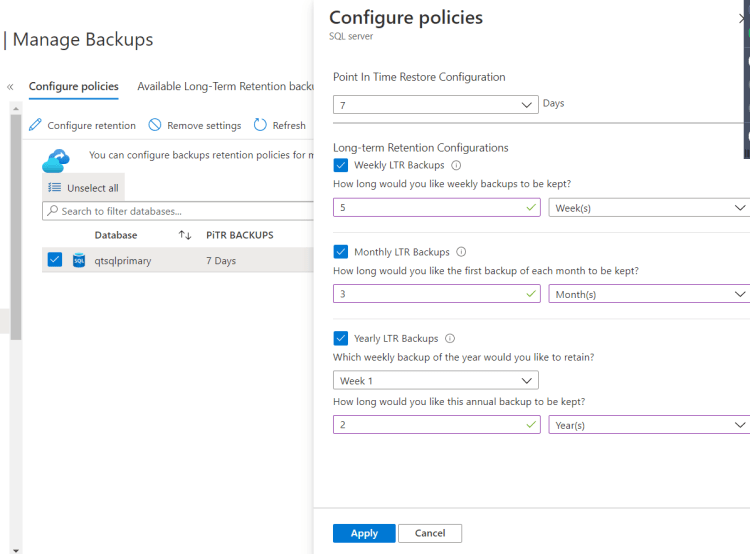
- Lets configure Long term Retention backups
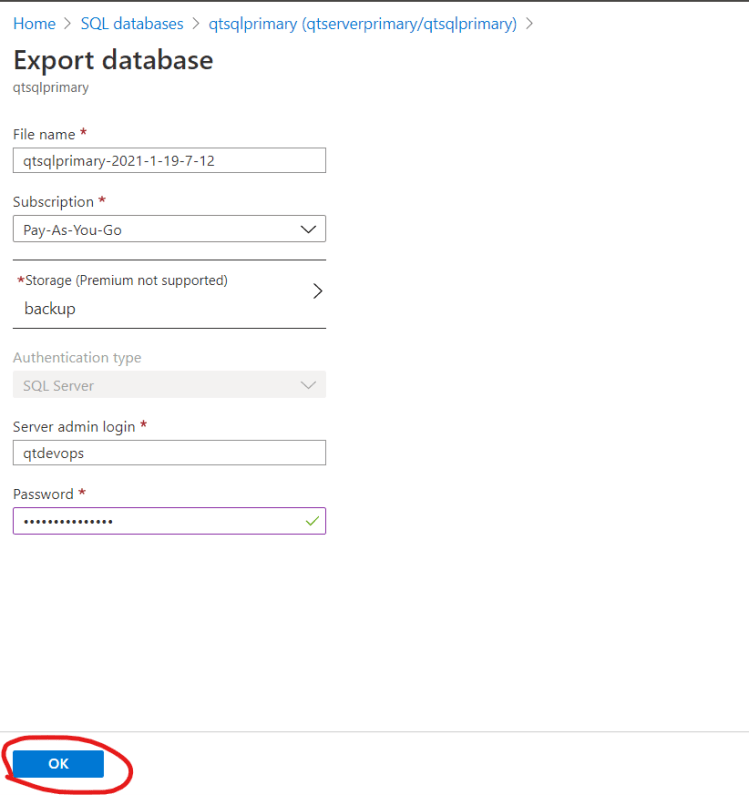
- Lets see how to create a manual backup
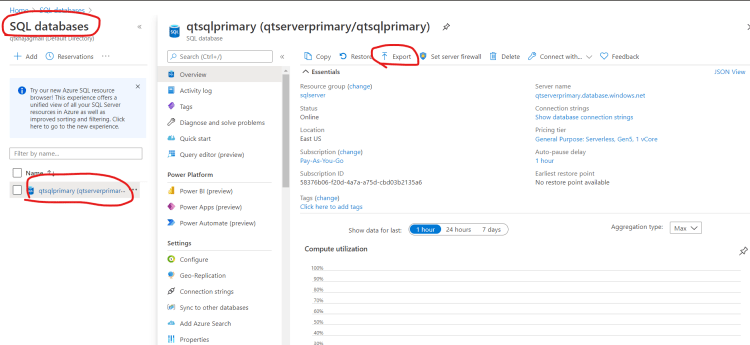
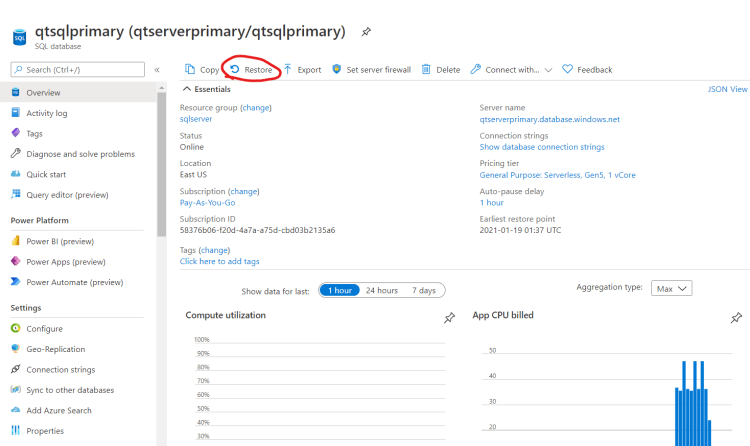
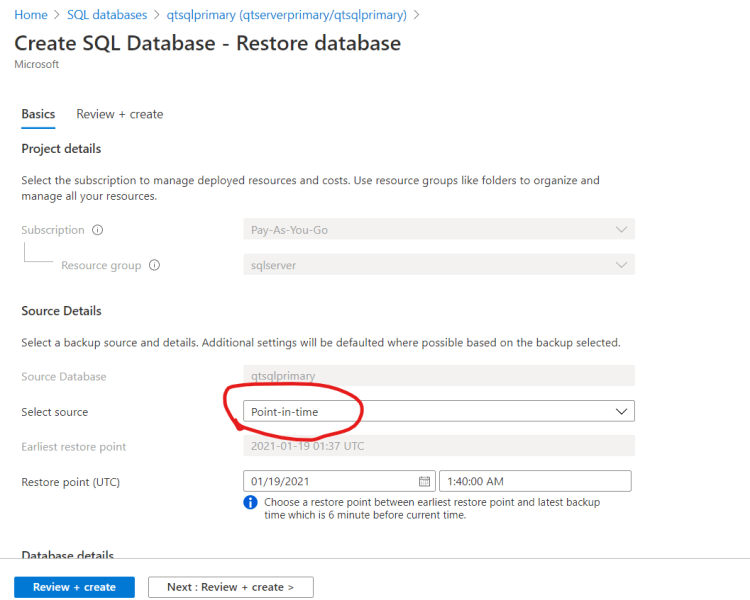
- To Restore your database using PiTR (Point in time Restore)


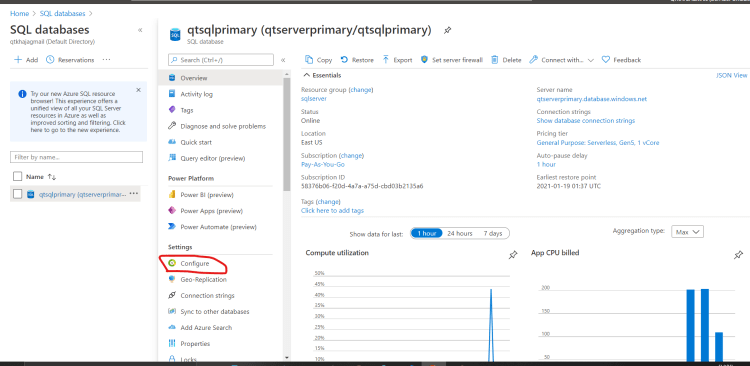
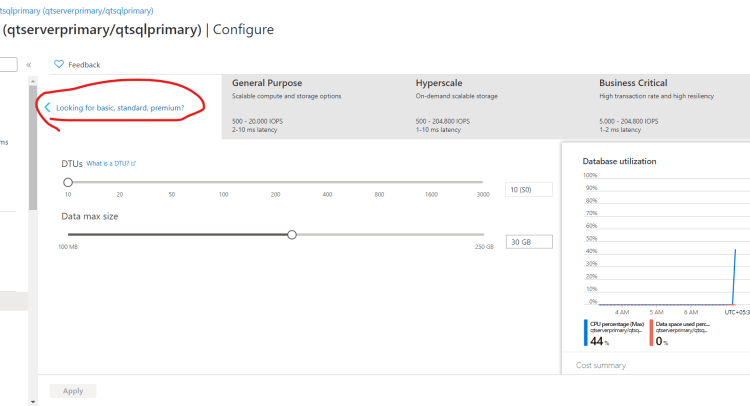
Scaling your database
- Azure SQL Database can be scaled up or down


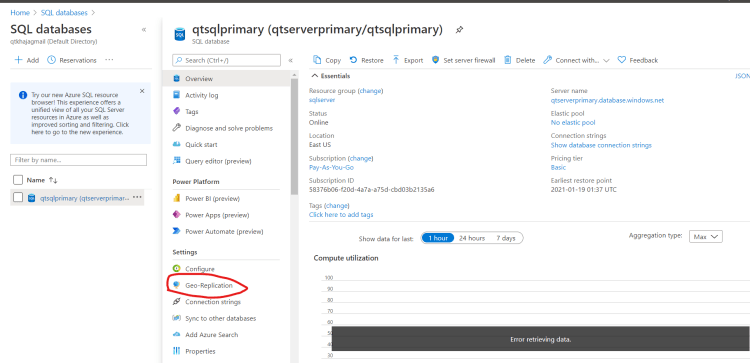
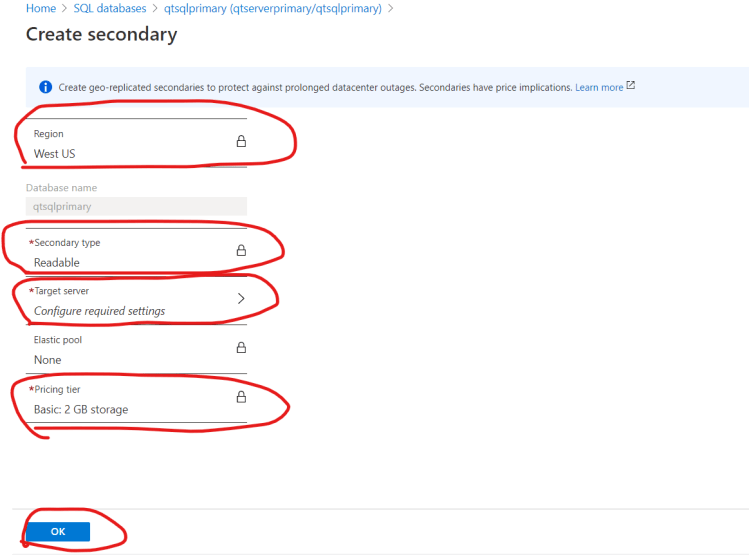
Configuring Geo-Replication
- Azure SQL Database can be replicated to any region in Azure


Next Steps:
- Automatic failover groups
- SQL Server Security Options
- Azure CLI & Azure Powershell Refer Here


