

Connectivity
- Now in the case of your applications interacting with databases, we share connection strings
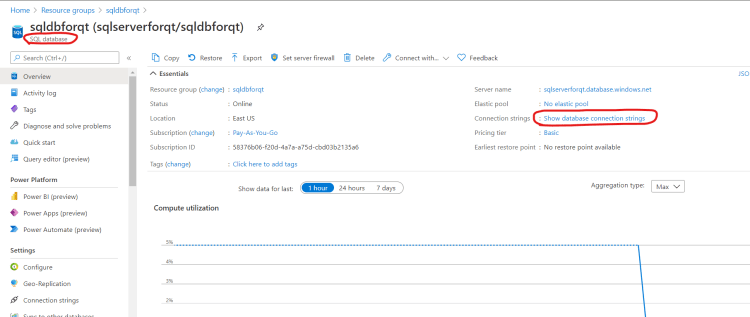
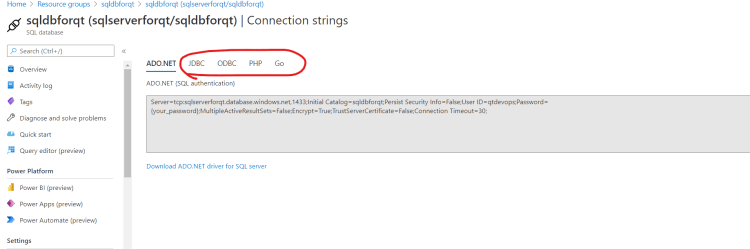
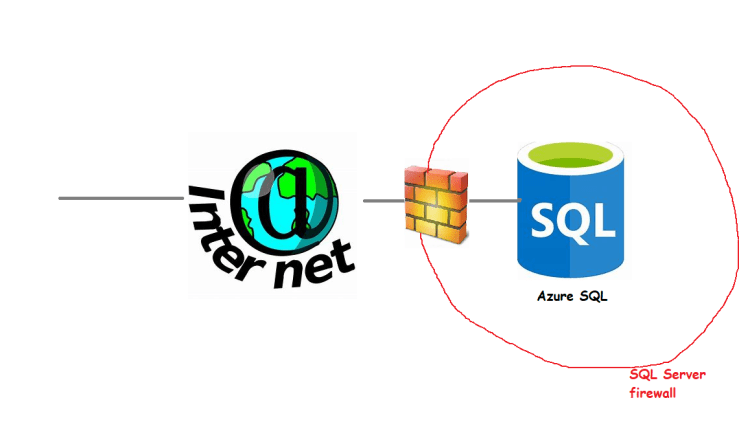
- The architecture realized will be as shown below
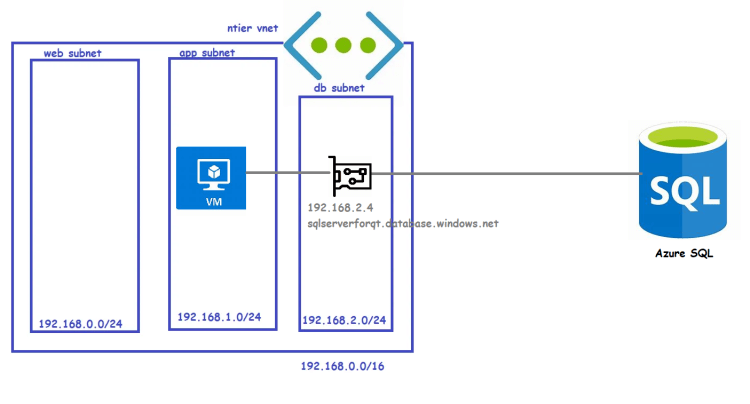


Public endpoint Connectivity in sql server
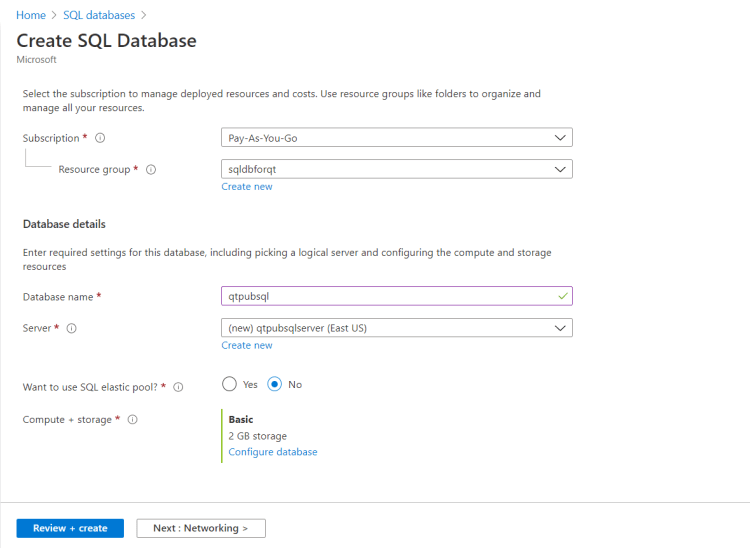
- Create a sql server database
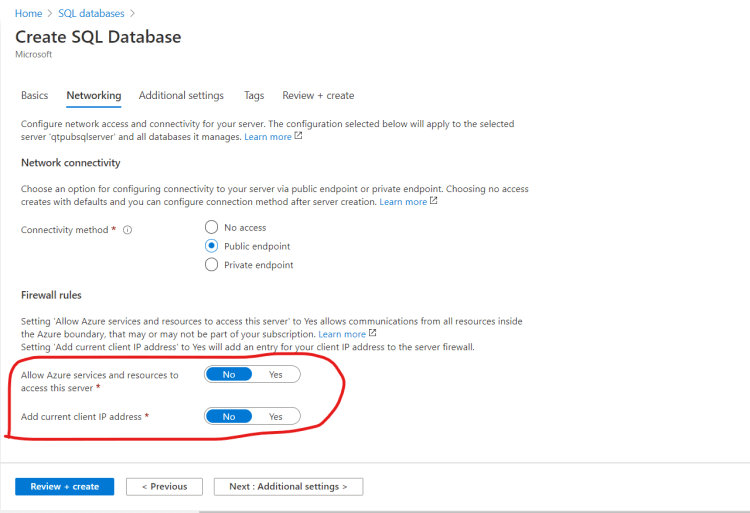
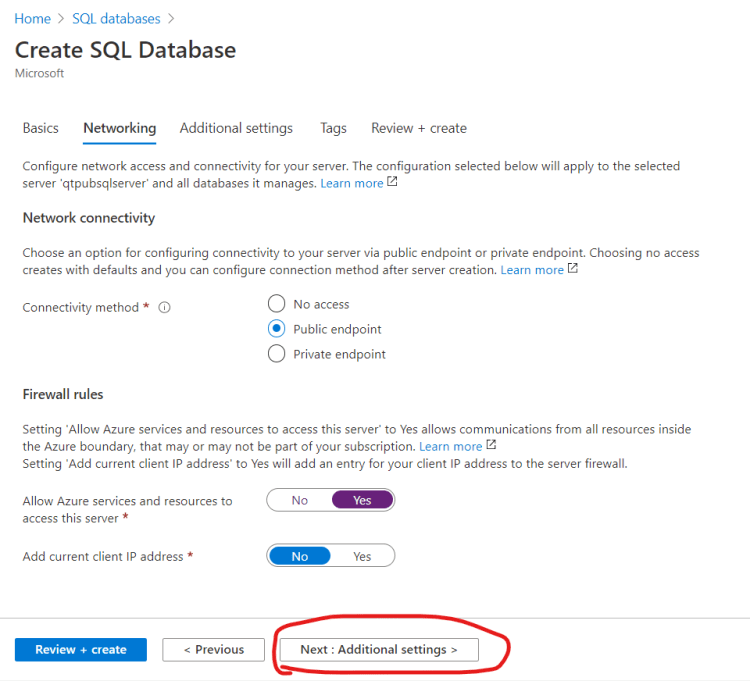
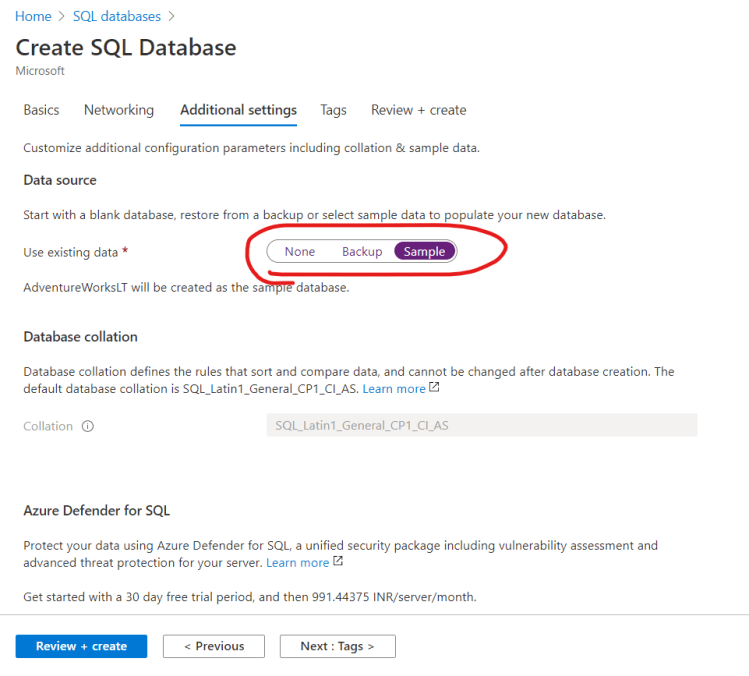
- Even though connection is public azure maintains a firewall around sql server in which we need to add rules to allow particular or all ip addresses
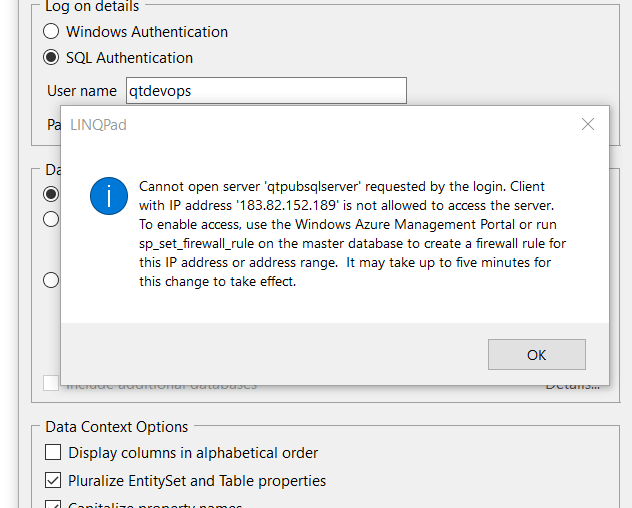
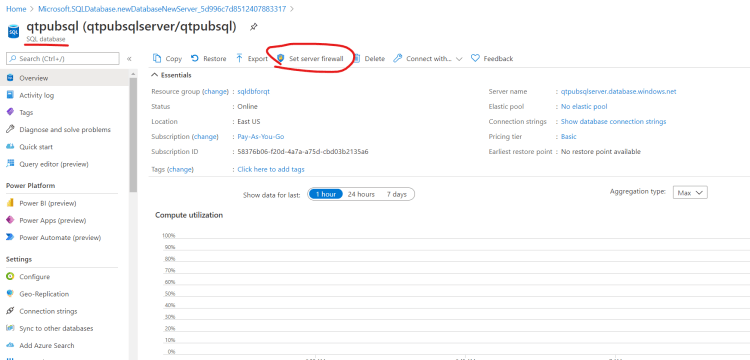
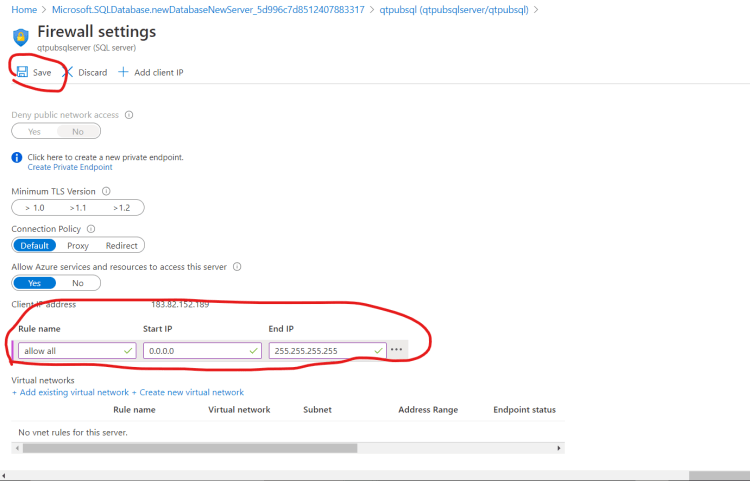
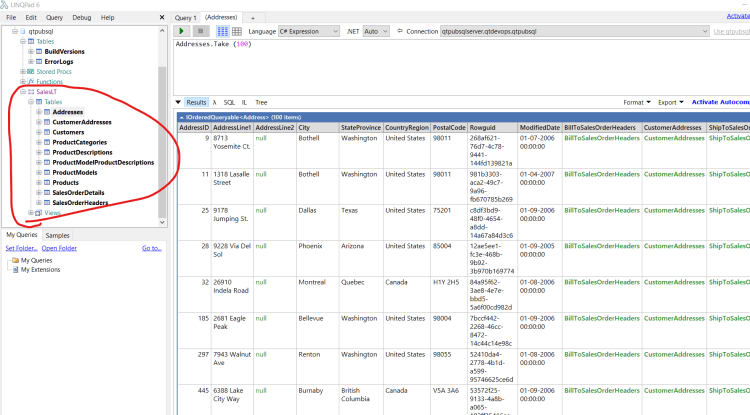
- Now you should be able to connect to the azure sql database from any ip range


Exercise:
- Findout what no access means in connectivity
- we have explored public endpoint
- we have explored private endpoint
- What is the other option about?
Azure SQL Next Steps
- Understanding pricing models
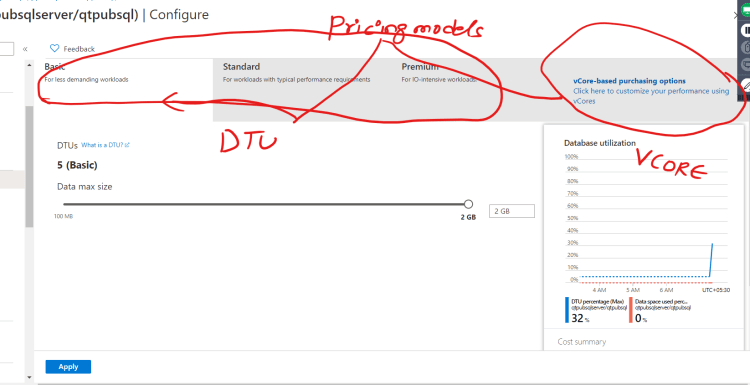
- Understanding Azure SQL Types
- Azure SQL Database
- Azure Managed Instances


