Azure BCDR Contd..
- Replications to be performed
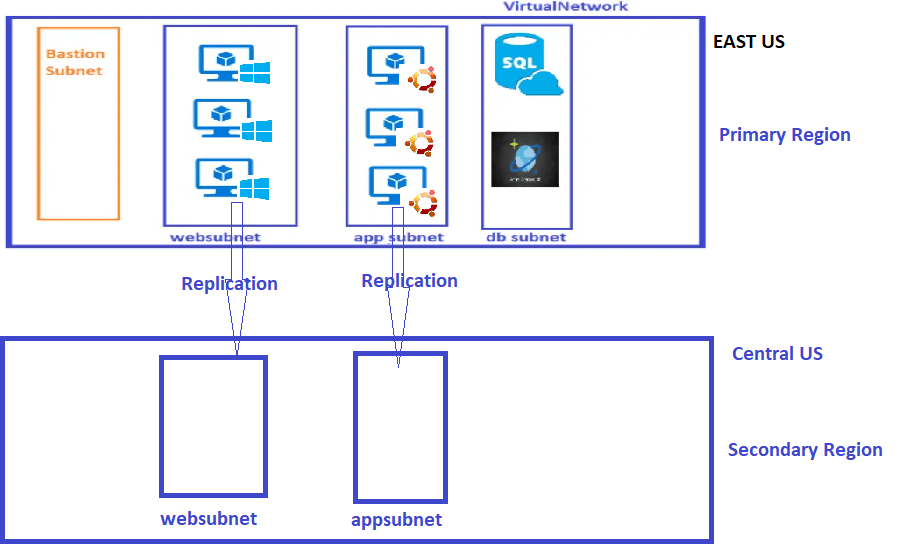
- In the last class we had replicated one vm leading to new resource group
<resourcegroup>-asr
- Navigate to Site-Recover-Vault-RG and navigate to site recovery vault


- Individual VM Disaster Recovery

- Backups are taken in the same region and Replications in different Region


Scenario: Setup Backup For Windows and Linux VM
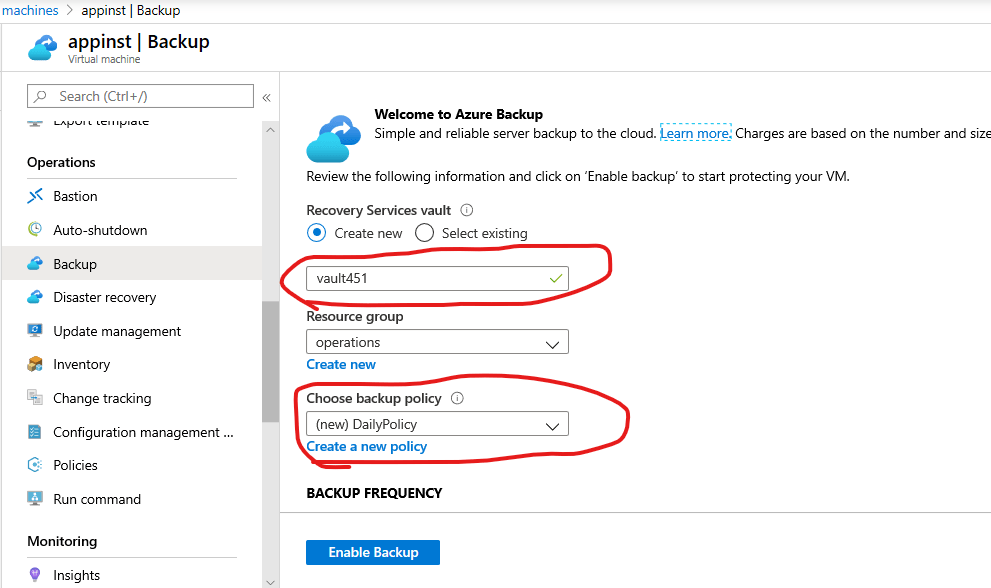
- Navigate to Operations => Backup Blade of the VM and enable backup by creating a new vault

Exercise: Scenario Setup Replication For Linux VM


Perform Test Failover and a Failover of any replicate VM
-
Navigate to the Resource Group Created as part of replication

-
Now navigate to the vm and perform test failover


-
Once the Test failover is completed navigate to target resource group

-
Navigate to vm and clean up Test failover


-
Steps are
- Create a Replication => A site Recovery Vault Gets Created
- Once the Replication is Setup Perform Test Failover and Test Failover cleanup for confidence
- In the cases of disaster, Perform Failover