

Git Conceptual Understanding
- Lets make 7th commit
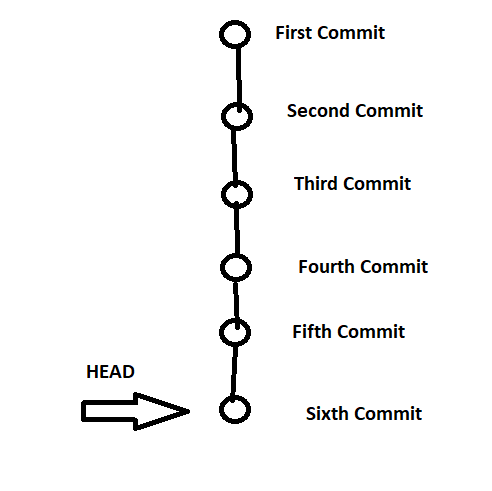
- Now along with 7 commit the HEAD pointer moves to the seventh commit, so by default HEAD is looking always at a latest version.

- To Remove untracked files git uses
git clean
- Lets Travel back in history to fourth commit

- Whenever you move back in history by commit id, you will get an error/warning called as DETACHED_HEAD
- Local => git repo => .git\config
- Global => ~.gitconfig
- System => <install-dir>/etc/gitconfig


Git Branches and How Git Works:
- In Git you will always have a branch and the default branch name is master
- In Enterprise work each branch represents a line of development
- Internally any branch in git will have link to Latest version
- Lets try to understand how git works using some internal commands (plumbing commands) such as git cat-file -p and git cat-file -t
- Git Commit => SHA1 Hash (changes, message, author, email)
- Git works like a content tracker and plumbing


