

Scenario For Migration
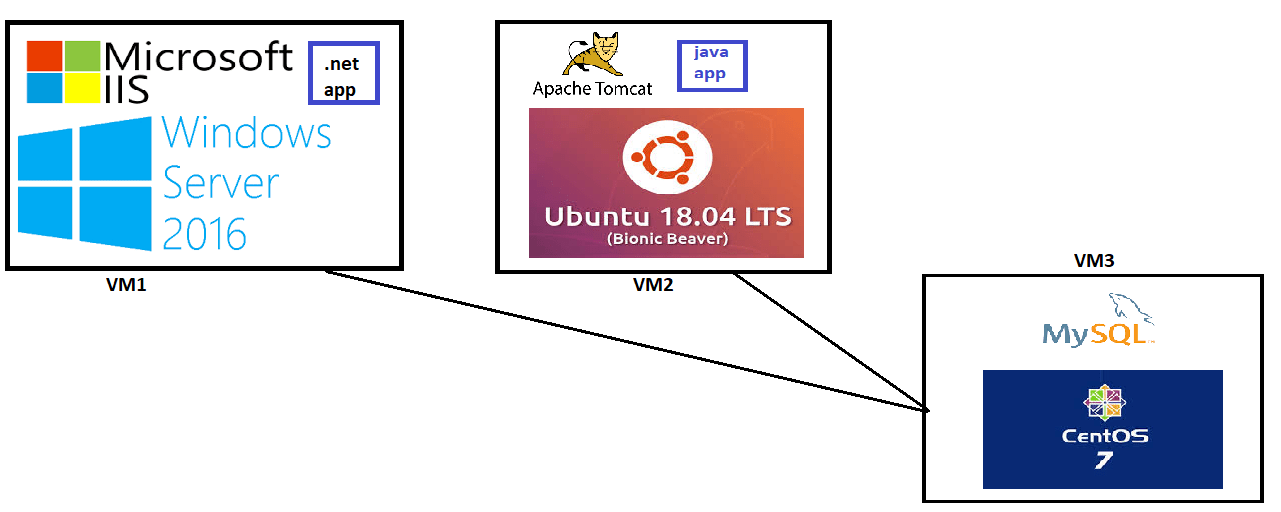

Step-1: Create a Hyper-V supported VM in AWS
- Create an Ec2 Instance with Windows Server 2016 and HyperV image and atleast a 4 core instance type

- Login into the machine and open Server Manager

- Connect to the VM using RDP and Perform the following steps
- Install Chocolatey


# Open Powershell as Admin and execute
Set-ExecutionPolicy Bypass -Scope Process -Force; iex ((New-Object System.Net.WebClient).DownloadString('https://chocolatey.org/install.ps1'))
- Restart VM
- Connect to RDP again and install chrome
choco install googlechrome -y
- Download Windows Server 2016, Ubuntu 18.04 LTS iso and Centos 7 dvd iso


