

Git-Flow: Best Branching Strategy
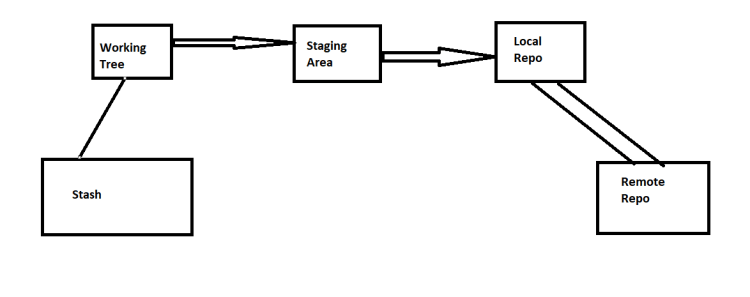
Git Stash
- Stash helps in preserving the work done in git working tree for future purposes.
- To stash your changes
git stash
- To see the list
git stash list
- To apply the changes from stash to working tree
git stash apply
- To apply the changes from stash and remove the changes from stash list
git stash pop
- Stash is 5 area of git

Git Communication Protocols
-
Local:
- Folder paths (shared folder paths)
-
Http(s):
- Git remote exposes git repository over http(s)
-
SSH:
- Git remote exposes git repository over ssh
-
GIT:
- Improved Performance, but mostly similar to ssh
Git Tags
- Tag is special label or recoginition to the commit. Generally we apply tags for every release or milestone
- Tags are of two types
- lightweight tags:
- Name of the Tag
- Creation:
git tag <nameofthetag>
- Annotated Tags:
- Name of the Tag
- Metadata
- Creation:
git tag -a <nameofthetag>
- lightweight tags:
- Pushing tags to Remote
git push origin <nameofthetag>
Git Servers
- Hosted Git Servers
- GitHub
- Code-Commit
- Azure GitRepos
- BitBucket
- GitLab
- Self Hosted Git Servers:
- Gitolite
- GitLab
Git Hook
-
Hook is a way of adding additional functionality to git as a response to some git actions.
-
Two Kinds of hooks
- Client Side Hooks
- Server Side Hooks:
- On Hosted Git Servers they are also called as WebHooks.


